

Laptop Repair Dundee
Cracked screen? Keyboard gubbed? Laptop running like treacle? We fix screens, keyboards, charging ports, and more at our Perth Road workshop. Most repairs done in 1-5 days, and we’ll tell you exactly what it costs before we touch anything.
 Google Reviews


Contents
You’re in a rush to finish a report for work, some coursework due by the end of the day, or something equally stressful. Then it happens. The screen gets cracked at the coffee shop. The keyboard’s been acting up for weeks and the ‘e’ key sticks every time, making every email look like it was written by someone who never learned to spell. Or the laptop just won’t turn on at all.
Close to three quarters of the laptop problems we see at our Dundee workshop involve either screen damage, keyboard failures, or slow performance. The good news is we’ve been fixing laptops for over twenty years, and most of these jobs are straightforward when you know what you’re doing.
If your laptop has a more obscure fault, we have the skills and equipment to diagnose problems that many other repair shops can’t. We understand how important your laptop is to your daily life, and we can repair it locally with as little delay as possible. Computer hardware repair, hard drive issues, data recovery when things go properly wrong. If it’s a laptop, we’ve seen it.
Most Common Laptop Repairs in Dundee
After fixing hundreds of laptops for customers across Dundee, Broughty Ferry, Angus and North Fife, here’s what comes through the workshop most often.
Screen Replacement and Crack Repair
Laptop screens break more easily than most folk expect. The most common causes are closing the lid with something on the keyboard (a pen is the classic one), dropping it while rushing between meetings or classes, or it falling off the couch. Sometimes there’s no visible crack at all but sections of the display go dark, show colour distortion, or flicker constantly.
Signs you need a screen replacement:
- Cracks or lines running across the display
- Dark patches or the “spilt ink” effect that won’t go away
- Flickering or sections that stay completely black
- Colours that look completely wrong on part of the screen
We need to remove your current screen to check the exact part number on the back panel. It’s the only way to guarantee the replacement matches your laptop’s specifications. For popular models we often have screens in stock. Less common models take a couple of working days to source.
A Dundee University lecturer dropped her laptop bag coming out of a lecture. Screen completely shattered, spilt ink effect across the whole display. We had the replacement in stock, fitted it that afternoon, and she was back teaching the next morning.
Keyboard Replacement and Key Repairs
Keyboards take more abuse than any other part of your laptop. Coffee spills, crumb invasions, and keys that get hammered thousands of times a day. Eventually something gives.

Common keyboard problems we fix:
- Keys that stick or don’t press down properly
- Letters that don’t register when you press them
- Multiple letters appearing from a single keypress
- Keys that have physically fallen off or snapped
- Liquid damage from spills (bring it in immediately if possible, power it off, and don’t try to turn it on again. The longer liquid sits on the board, the more corrosion spreads)
On most laptops the keyboard is a single replaceable unit. We source the correct replacement for your exact model and swap the whole assembly. Individual key cap replacements are possible on some models if it’s just one or two keys affected. For MacBook keyboard replacement, we have a dedicated service since Apple keyboards have their own specific process.
Brand-Specific Issues We See
Dell: hinge problems are common on Inspiron models. The plastic mounting points crack after a couple of years of daily use. We reinforce the mounts during repair so the fix lasts longer than the original design.
HP: overheating is the recurring theme, especially on Pavilion and Envy models. The cooling systems are often undersized for the hardware. A thermal service and fan replacement makes a dramatic difference.
Lenovo ThinkPad: the keyboards are excellent but the TrackPoint (the red nub in the middle of the keyboard) can develop drift over time. Keyboard replacement sorts it. ThinkPads are generally the most repairable laptops we work on because Lenovo publishes service manuals and designs them to be opened.
Apple MacBook: the butterfly keyboard on 2016-2019 models is notorious for key failure from dust getting underneath. Newer Magic Keyboards are much better. MacBook batteries swell after a few years and need replacing. We have dedicated pages for all MacBook repairs.
Charging Port Repair
There’s almost nothing more frustrating than a laptop that won’t charge. You plug it in, wiggle the cable, prop it at a weird angle, and sometimes it works for a bit before cutting out again.

Newer laptops increasingly use USB-C for charging instead of the traditional barrel connector. The advantage is that one cable handles charging, display output, and data. The downside is that USB-C ports are smaller and more fragile, and if the port fails, you lose charging, display, and USB functionality all at once. We repair and replace both USB-C and barrel connector charging systems.
The first thing we check is the charger cable itself. Most of the time the cable has failed internally because people wrap it tightly around the power brick and the wires break inside. That’s the cheapest and quickest fix.
When it’s not the cable, it’s usually the charging port inside the laptop. On some laptops the port is a separate module that plugs into the motherboard, making it a straightforward replacement. On others, the port is soldered directly to the board, which needs more careful work. We diagnose which situation you’re dealing with before quoting, so you know exactly what’s involved. For more detail on MacBook charging port replacement, see our dedicated page.
Battery Replacement
Laptop batteries degrade over time. After two to three years of daily charging, most batteries hold noticeably less charge than they did when new. After four to five years, you might find yourself permanently tethered to the charger.
Signs your battery needs replacing:
- It barely lasts an hour unplugged when it used to last all afternoon
- The laptop shuts down suddenly at 30% or 40% battery
- The battery percentage jumps around erratically
- The trackpad area or base of the laptop feels swollen or raised
That last one is important. A swollen battery is a safety issue. If the base of your laptop is bulging or the trackpad feels raised and clicks oddly, bring it in sooner rather than later. Swollen batteries can crack the trackpad, warp the case, and damage other components if left too long. In rare cases they’re a fire risk. We replace the battery, dispose of the old one safely, and your laptop goes back to holding a proper charge. See our MacBook battery replacement page for Apple-specific details.
Water Damage: The First 60 Seconds
Spilled something on your laptop? What you do right now matters more than anything we can do later. Immediately: power it off (hold the power button for 5 seconds, don’t bother with shutdown). Flip it upside down to stop liquid flowing deeper into the board. Unplug the charger. Don’t try to dry it with a hairdryer (too hot, pushes liquid further in). Don’t put it in rice (does nothing useful, leaves starch residue inside). Bring it to us as quickly as you can. The faster we get to it, the more we can save.
SSD and RAM Upgrades
If your laptop takes forever to start up, programs crawl, and you find yourself making tea while waiting for files to open, an upgrade is almost certainly more sensible than buying a new machine.

SSD upgrades are the single biggest improvement you can make. If your laptop still has a mechanical hard drive (the type with spinning platters inside), replacing it with an SSD cuts boot times from minutes to seconds. We clone your existing drive so everything stays exactly where it was. Same desktop, same files, same programs. Just faster. We fit both SATA and NVMe SSDs depending on what your laptop supports.

RAM upgrades help when your laptop slows down the more you do. Lots of browser tabs open, multiple programs running, and everything starts grinding. Four gigabytes isn’t enough for Windows 11 any more. We check what your machine supports and fit the right spec. For more detail, see our computer memory upgrade page.
SSD and RAM together is what we recommend when someone’s ready to bin a laptop that’s technically fine but painfully slow. The combination is a fraction of the cost of a new machine.
Overheating and Fan Noise
Your laptop sounds like a jet engine taking off every time you open more than two tabs. Or it shuts itself down without warning in the middle of something important. Both point to the same issue: overheating.
Laptops are compact. There’s very little room for airflow, and dust buildup is responsible for the majority of overheating cases we see. The fans and heatsinks that keep the processor cool accumulate dust over months and years. The thermal paste between the processor and heatsink dries out after a few years too, losing its ability to transfer heat effectively.
What happens when it overheats:
- The processor throttles itself to a slower speed to reduce heat, making everything feel sluggish
- Fans run at full speed constantly, which is loud and drains your battery faster
- The laptop shuts down suddenly to protect itself from heat damage
- Over time, repeated overheating can cause permanent damage to the motherboard
A thermal service involves stripping the laptop down, cleaning the heatsink and fans with compressed air, replacing the thermal paste, and swapping any worn fans. It’s a fraction of replacement cost and can add years of reliable use. We recommend a full thermal service every two to three years if you use your laptop daily. Between services, keeping the air vents clear and not using your laptop on soft surfaces like beds or cushions (which block the intake) helps keep temperatures down.
Hinge Repair
Hinges are the most commonly missed cause of laptop damage, according to repair industry data. They seize up gradually from age and dust, and when they do, the force of opening and closing the lid rips the plastic screw mounts out of the chassis. That’s how you end up with a cracked screen, a cracked laptop case, or damaged display cables without ever dropping it. Catching a stiff hinge early saves you a screen replacement later.
Signs your hinges need attention:
- The lid feels stiff or tight when you open it
- Cracks appearing around the hinge area of the case
- The screen wobbles or won’t stay at the angle you set it
- You can hear creaking or grinding when moving the screen
We replace or repair the hinge mechanism and reinforce the mounting points so they’re stronger than the original design. If the casing is cracked around the hinge area, we fix that too.
Windows Installation and Virus Removal
Sometimes laptops get bogged down with years of accumulated software, browser toolbars, and digital clutter. A fresh Windows installation gives your laptop a complete restart. We back up your files first, do a clean install, and restore your data afterwards.
We also handle malware and virus removal. Despite what some folk think, laptops absolutely still get infected. Pop-up ads that won’t stop, redirected web searches, programs you didn’t install, or the whole machine running at a crawl. We remove the infection and clean up whatever damage it’s caused. For a deep dive, see our virus removal service page.
Laptop playing up? Drap it in and we’ll take a look. Nae appointment needed.
Call UsWhen to Repair vs Replace Your Laptop
This is the question we get asked more than any other. Here’s how we think about it.
If the repair costs more than half what a decent replacement would cost, it’s probably time to start shopping. The sweet spot for repairs is laptops between two and six years old. Anything newer is almost always worth fixing. Anything older than six starts to get questionable unless it’s a simple job.
Your laptop is probably worth fixing if:
- It’s less than five years old and was decent quality when new
- Everything else works fine and it’s just one specific problem
- The repair is straightforward (screen, keyboard, SSD, battery, fan)
It might be time for a new one if:
- Multiple things need fixing at once
- The repair would cost more than half the price of a suitable replacement
- You’re having different problems every few months
- It was a budget model to begin with and it’s over four years old
We’ll always be straight with you. If your laptop isn’t worth fixing, we’ll say so. We don’t benefit from repairing a machine you’ll be back with in three months.
What to Expect When You Bring Your Laptop In
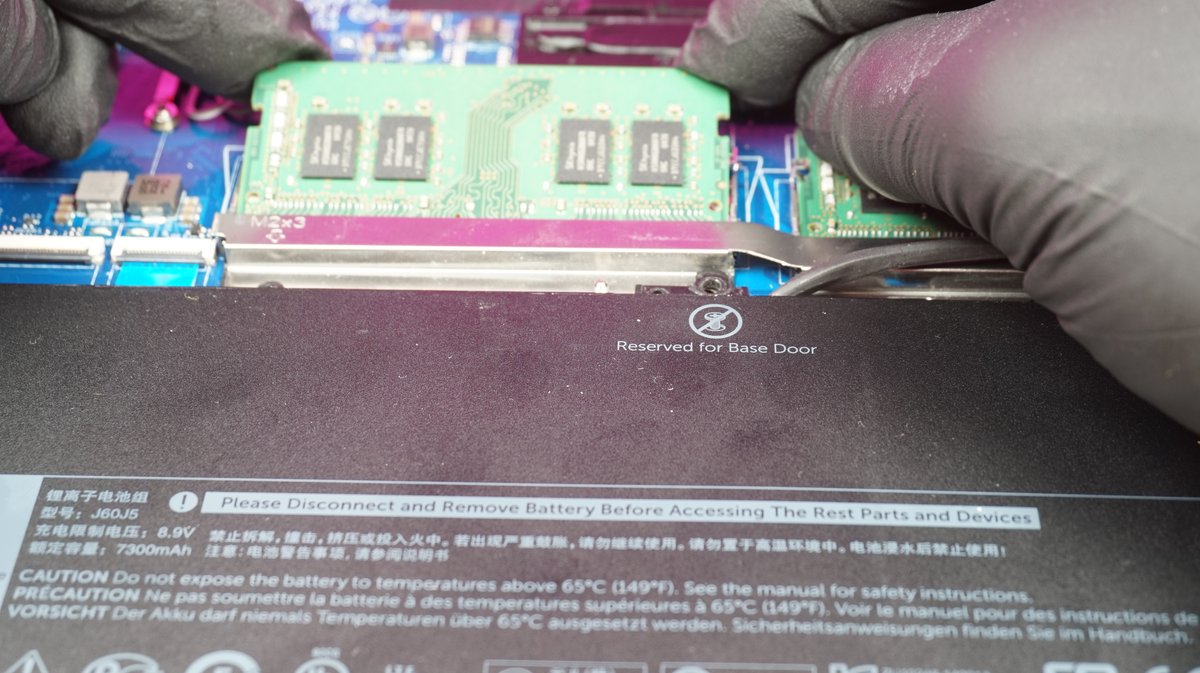
Step one: bring it in. Walk into 153 Perth Road during opening hours. No appointment needed. Tell us what’s been happening. Don’t worry if you can’t explain it in technical terms. “It makes a weird noise and the screen goes funny” is perfectly fine.
Step two: we assess and quote. We’ll give you a guide based on what we can see. For screen repairs, we typically need to remove the current screen to check the part number on the back panel. Once we know exactly what’s needed, we’ll call you with the confirmed quote.
Step three: your decision. You decide whether to go ahead. No pressure, no upselling. If the repair doesn’t make financial sense, we’ll tell you.
Turnaround: most common repairs take one to five working days depending on parts availability. Software repairs like virus removal or Windows reinstalls are often same day or next day. If we have your screen or keyboard in stock, hardware repairs can be even faster.
Data safety: most hardware repairs don’t touch your data at all. For any repair that might affect your files, we’ll always discuss backup options before we start. We never begin work that could affect your data without talking to you first.
Warranty: every repair comes with a 90-day warranty. If the same fault comes back, bring it in and we’ll sort it at no extra charge.
Need your laptop back fast? Most repairs done in one to five days. Software fixes often same day. Gee’z a shout.
Call Us