

Computer Mouse Sales Dundee
Need a new mouse? Wireless and wired mice in stock at our Perth Road shop. Walk in, try the feel, and pick one up.
 Google Reviews


That laptop trackpad is fine for scrolling through emails, but if you’re spending hours at your desk, a proper mouse makes a real difference. Faster, more precise, and much better for your wrist. We stock computer mice at our Perth Road shop. Office mice, gaming mice, wired and wireless. Walk in, try a few, and pick the one that fits your hand.
We carry mice from Genius for everyday office use and Marvo Scorpion for gaming. Budget options for folk who just need something that works, and performance options for gamers who care about DPI and sensor precision.
What We Stock
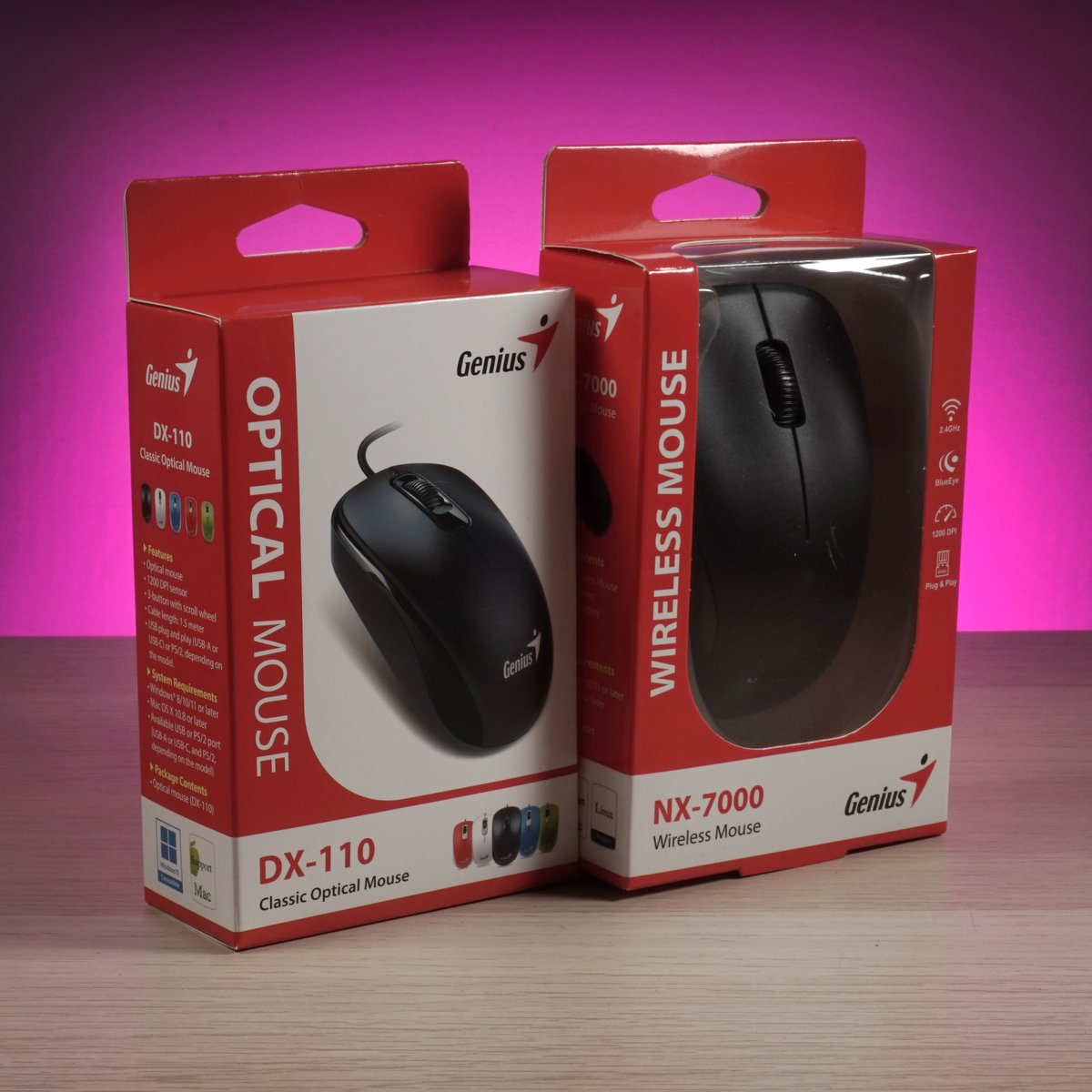
Two ranges to cover different needs:
Genius for everyday office and home use. Simple, reliable mice that do the job without fuss. The DX-110 is a classic wired optical mouse with 1000 DPI. Plug it in and it works. No batteries, no pairing, no software. The NX-7000 is a wireless mouse with 1200 DPI and BlueEye sensor technology that works on almost any surface. 2.4GHz wireless with a tiny USB receiver. Both work with Windows and Mac.
Marvo Scorpion for gaming. Higher DPI sensors, RGB lighting, programmable buttons, and designs built for long gaming sessions. Available in wired and wireless models. More on these below.
Stock changes, so gee’z a shout on 01382 217272 if you’re after a specific model before you come in.
Office Mice
For everyday work (emails, documents, spreadsheets, web browsing, video calls), you don’t need a high-end mouse. You need something comfortable, reliable, and precise enough for clicking the right cell in a spreadsheet without overshooting.
Genius DX-110. Wired USB optical mouse. 1000 DPI, which is the sweet spot for office work. Three buttons plus scroll wheel. 1.5m cable. Plug and play with no drivers needed. Available in multiple colours. If you just need a mouse that works and costs barely anything, this is it. Wired means no batteries to replace and no wireless connection to drop during a presentation.
Genius NX-7000. Wireless mouse with 1200 DPI BlueEye sensor. 2.4GHz wireless connection via a micro USB receiver that plugs into your computer. No cable clutter on your desk. The BlueEye sensor works on surfaces where regular optical mice struggle (glass, glossy desks, fabric). Runs on a single AA battery. Compact enough for carrying in a laptop bag.
For most folk working from home or in an office, either of these does the job perfectly well. The choice comes down to wired (never runs out of battery, always connected) vs wireless (no cable, cleaner desk, portable).
Gaming Mice
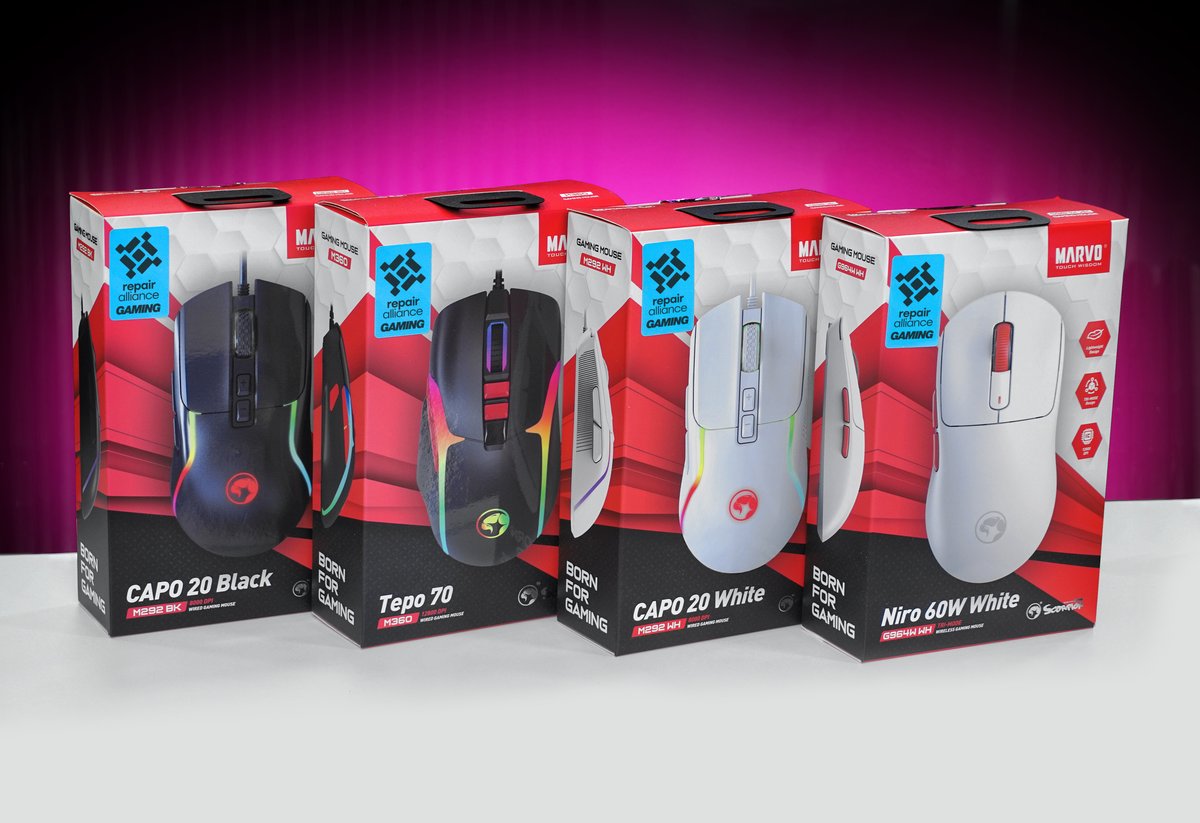
Gaming mice are built for speed, precision, and comfort during long sessions. The Marvo Scorpion range we stock includes:
Capo 20 (M292). Wired gaming mouse available in black and white. RGB lighting. Higher DPI sensor for faster, more precise cursor movement. Designed for palm grip with an ergonomic shape that supports your hand during hours of gaming. The wired connection means zero latency. What you do with the mouse happens on screen instantly.
Tepo 70 (M360). Wired gaming mouse with RGB lighting and a contoured grip design. Multiple DPI settings you can switch on the fly during gameplay. Lower DPI for sniping, higher DPI for fast movement. Programmable buttons for in-game shortcuts.
Niro 60W (G964W). Wireless gaming mouse in white. The convenience of wireless without sacrificing gaming performance. 2.4GHz wireless for low-latency connection. Rechargeable battery so you’re not buying AAs constantly. Clean, minimal design without cables on your desk.
All our Marvo gaming mice carry the Repair Alliance Gaming branding. They work for gaming but also make excellent everyday mice if you want something more precise than a basic office mouse. A gaming mouse isn’t just for gamers. The better sensor and ergonomic design benefit anyone who spends hours at a computer.
What’s DPI? Dots Per Inch. It measures how far your cursor moves on screen for every inch you move the mouse on your desk. Higher DPI = faster cursor. Office mice typically run at 800-1200 DPI. Gaming mice go up to 12,000+ but most gamers actually play at 400-1600 DPI. The high numbers are there for when you need quick cursor movement outside of games.
Wired vs Wireless
Wired mice: plug in and they work. No batteries, no charging, no wireless signal to drop. Zero latency because the connection is physical. The cable can get in the way on a cluttered desk, but for a fixed desk setup it’s not an issue. Wired mice are typically cheaper than wireless equivalents.
Wireless mice: no cable clutter. Cleaner desk, more freedom to move. Modern 2.4GHz wireless mice have low enough latency that most folk can’t tell the difference from wired. The trade-off is batteries (AA or rechargeable) and the tiny USB receiver that uses one of your USB ports. If your laptop only has two USB ports, losing one to a wireless mouse receiver might be annoying.
Bluetooth mice: connect without a USB receiver, using your computer’s built-in Bluetooth. No receiver to lose, no USB port used. Slightly higher latency than 2.4GHz wireless, so not ideal for gaming, but fine for office work.
For gaming: wired or 2.4GHz wireless. For office: whichever you prefer. For travel: wireless (no cable to pack, compact, works with any laptop).
Comfort and Fit
If you use a computer for hours every day, the mouse you use affects your wrist, hand, and forearm. A mouse that’s the wrong size or shape for your hand can cause discomfort, fatigue, and over time contribute to repetitive strain injury (RSI).
Size matters. A mouse that’s too small forces your hand into a claw position. Too large and your fingers can’t reach the buttons comfortably. The right size lets your hand rest naturally on the mouse without gripping or stretching.
Grip style matters. Folk hold mice in three main ways: palm grip (whole hand resting on the mouse), claw grip (fingertips and palm base touching), and fingertip grip (only fingertips touching). Different mice suit different grips. The only way to know which feels right is to try them.
Wrist position matters. Your wrist should be neutral (not bent up, down, or sideways) when using the mouse. If your desk is too high or the mouse is too far away, you’ll bend your wrist and that’s where problems start. A mouse pad with a wrist rest can help, but getting the desk height right matters more.
If you’re already getting wrist pain from your current mouse, come in and try a few different sizes and shapes. Sometimes switching to a different mouse fixes the problem immediately. Sometimes you need to adjust your desk setup too. Either way, we can help you work it out.
Why Buy In-Store
Comfort is personal. A mouse that fits one person’s hand perfectly might be uncomfortable for another. Walk in, hold a few, check the size, the weight, the button feel. That’s worth more than any online review or specification sheet.
We can also check that the mouse works with your computer. If you’re not sure whether your laptop has Bluetooth, or how many USB ports you’ve got free, bring it in and we’ll check.
For keyboards, headsets, webcams, and other computer accessories, we stock those too. 153 Perth Road, Monday to Friday 9:30 to 17:30, Saturday 10 to 17. Nae appointment needed.
Need a mouse? Drap in tae 153 Perth Road. Try a few and pick the one that fits.
Call Us