

USB Cable Sales Dundee
Need a USB cable? USB-C, USB-A, printer cables, data transfer cables. In stock at our Perth Road shop. Walk in and grab one.
 Google Reviews


USB cables come in more types than most folk realise. USB-A, USB-B, USB-C, Micro USB. Different connectors, different speeds, different charging capabilities. If you just need a cable and don’t want to spend an hour reading specifications online, walk into our Perth Road shop and we’ll hand you the right one.
We stock USB cables for computers, printers, phones, external drives, webcams, and anything else that connects via USB. Quality cables from Prevo that actually work properly and last. Not the ones that give up after a fortnight.
USB Cable Types
Four connector types cover almost every device you’ll encounter:
USB-C. The oval connector that goes in either way up. The modern standard used by most new phones, tablets, laptops, monitors, and accessories. The EU has adopted USB-C as the universal charging standard, so everything is moving this direction. If your device was made in the last few years, USB-C is almost certainly what you need.
USB-A. The rectangular connector that’s been around for decades. Still on most desktop computers, older laptops, chargers, and accessories. One end of most cables is still USB-A even when the other end is USB-C or Micro USB. It only goes in one way, and you’ll get it wrong twice before getting it right. That’s just how USB-A works.
USB-B. The squarish connector used by printers, some external hard drives, and audio equipment. Less common now but still the standard for connecting a printer to a computer. If you’ve just bought a printer and it didn’t come with a cable (many don’t), this is what you need.
Micro USB. The tiny connector used by older Android phones, Bluetooth speakers, budget headphones, fitness trackers, and various accessories. Being phased out in favour of USB-C but millions of devices still use it. We stock Micro USB cables for folk who still need them.
USB-C Cables
USB-C is becoming universal. Phones, laptops, tablets, monitors, headphones, game controllers, Nintendo Switch. Almost everything new uses USB-C.
But not all USB-C cables are equal. This is the bit that catches folk out. A cheap USB-C cable might only support slow charging and USB 2.0 data speeds. A quality USB-C cable supports fast charging via Power Delivery (PD) and USB 3.0+ data transfer speeds. The connector looks identical on both cables. You can’t tell the difference by looking at them.
If you need fast charging for your phone or laptop, make sure the cable supports PD (Power Delivery). If you need fast data transfer for an external drive, make sure the cable supports USB 3.0 or higher. A cable that only supports USB 2.0 will charge your phone (slowly) and transfer files (slowly) but won’t give you the speeds your devices are capable of.
We stock USB-C to USB-C cables and USB-A to USB-C cables in different lengths. Our Prevo USB-C 3.2 100W cable handles both fast data transfer and high-power laptop charging through a single cable. For phone-specific charging cables, see our phone cable page.
USB Speeds Explained
The USB version number tells you how fast data moves through the cable. The naming is confusing because the standards body keeps renaming things, but here’s what matters in practice:
USB 2.0: up to 480Mbps theoretical, about 30-40MB/s in real-world use. Adequate for keyboards, mice, and basic peripherals. Painfully slow for transferring large files. A 10GB folder takes about 5 minutes.
USB 3.0 (also called USB 3.2 Gen 1): up to 5Gbps theoretical, about 400-450MB/s in practice. Ten times faster than USB 2.0. That same 10GB folder takes about 25 seconds. This is the standard for external drives, webcams, and most modern peripherals.
USB 3.2 Gen 2: up to 10Gbps theoretical, about 700-800MB/s in practice. Twice as fast again. Used by fast external SSDs and some docking stations.
Important: your cable only runs at the speed of the slowest link. A USB 3.0 cable plugged into a USB 2.0 port runs at USB 2.0 speed. A USB 3.0 cable connected to a USB 2.0 device runs at USB 2.0 speed. Both the cable, the port, and the device all need to support the same standard for you to get the full speed.
How to tell which USB ports you have: USB 3.0+ ports are usually blue inside. USB 2.0 ports are usually black or white. If your port is blue, a USB 3.0 cable will give you full speed. If it’s black, you’re limited to USB 2.0 regardless of cable.
Charging vs Data Cables
This is something most folk don’t know about: not all USB cables carry data. Some cheap cables are “charge only” and have no data wires inside. They’ll charge your phone or power a device, but if you plug your phone into your computer with a charge-only cable, the computer won’t see the phone. No file transfer, no syncing, no data.
Charge-only cables are cheaper to manufacture because they skip the data wires. You’ll find them bundled with cheap chargers, power banks, and accessories. They work fine for charging, but if you need to transfer files or connect a peripheral that sends data, a charge-only cable won’t do it.
All the cables we stock from Prevo are data and charging cables. Both functions, no compromises. If you’ve bought a cable somewhere else and your computer won’t recognise your phone or device when you plug it in, the cable might be charge-only. Bring it in and we can test it for you.
Extensions and Adapters
USB extension cables add length when the cable that came with your device doesn’t reach. Handy for webcams mounted on top of a monitor, keyboards and mice used far from the computer, or USB drives plugged into a tower that’s under a desk. Our Prevo SuperSpeed USB 3.0 extension cable maintains full USB 3.0 speed over the extended length.
One thing to know about extensions: USB signals degrade over distance. USB 2.0 works up to about 5 metres. USB 3.0 works up to about 3 metres before the signal starts to degrade. If you need longer runs than that, a powered USB hub or an active extension cable (with a built-in signal booster) is the answer.
USB-C to USB-A adapters bridge the gap between new and old. If your laptop only has USB-C ports but your mouse, keyboard, or drive uses USB-A, a small adapter converts the port. We stock these and they’re pocket-sized.
USB hubs expand one USB port into multiple ports. Useful if your laptop only has two USB ports but you need to connect a mouse, keyboard, webcam, and external drive simultaneously. Powered hubs are better for devices that draw significant power (like external drives) because they have their own power supply rather than drawing everything from your laptop’s USB port.
What We Stock
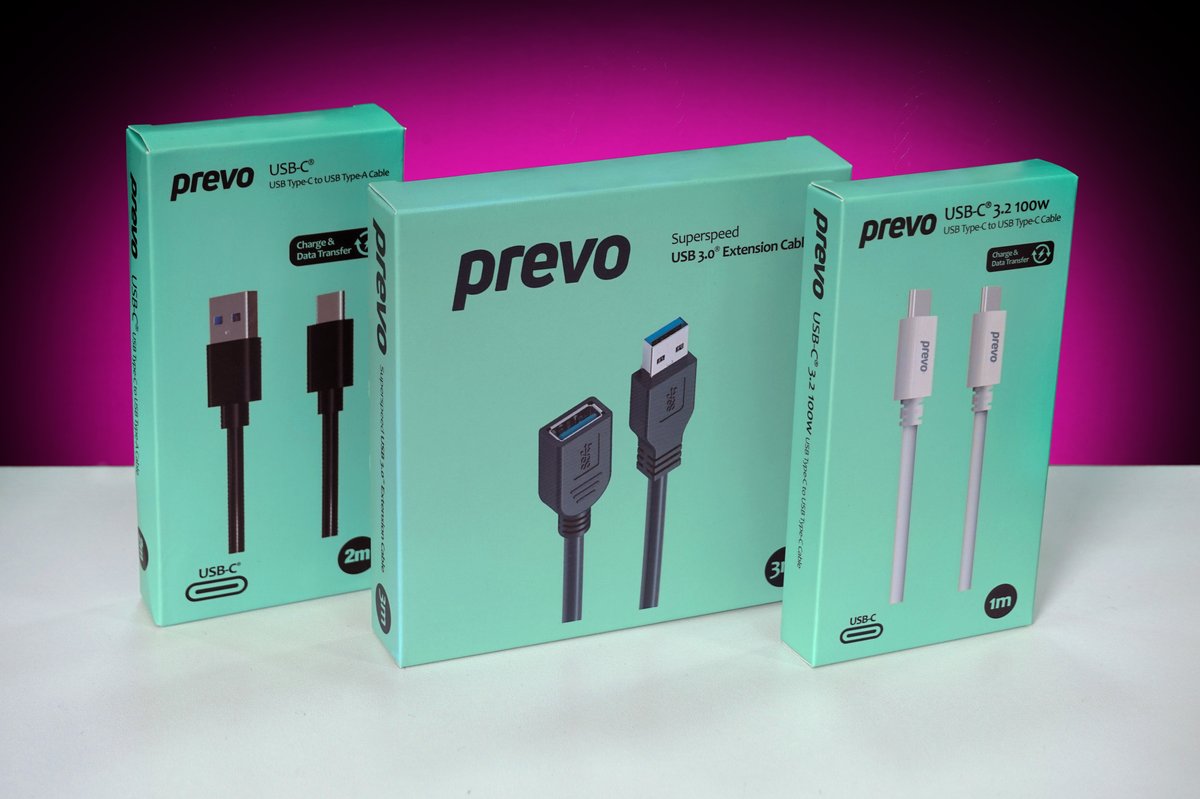
We carry USB cables from Prevo in the most common types and lengths:
- USB-C to USB-C (standard and 100W PD)
- USB-A to USB-C
- USB-A to USB-B (printers)
- USB-A to Micro USB
- USB 3.0 extension cables
- USB-C to USB-A adapters
All our data cables support both charging and data transfer. No charge-only cables. Lengths from 1m to 3m depending on the type.
Stock changes regularly. Gee’z a shout on 01382 217272 if you need a specific type before you come in. For display cables (HDMI, DisplayPort), ethernet cables, and power cables, see our computer cable page. For broader accessories, see our computer accessories shop.
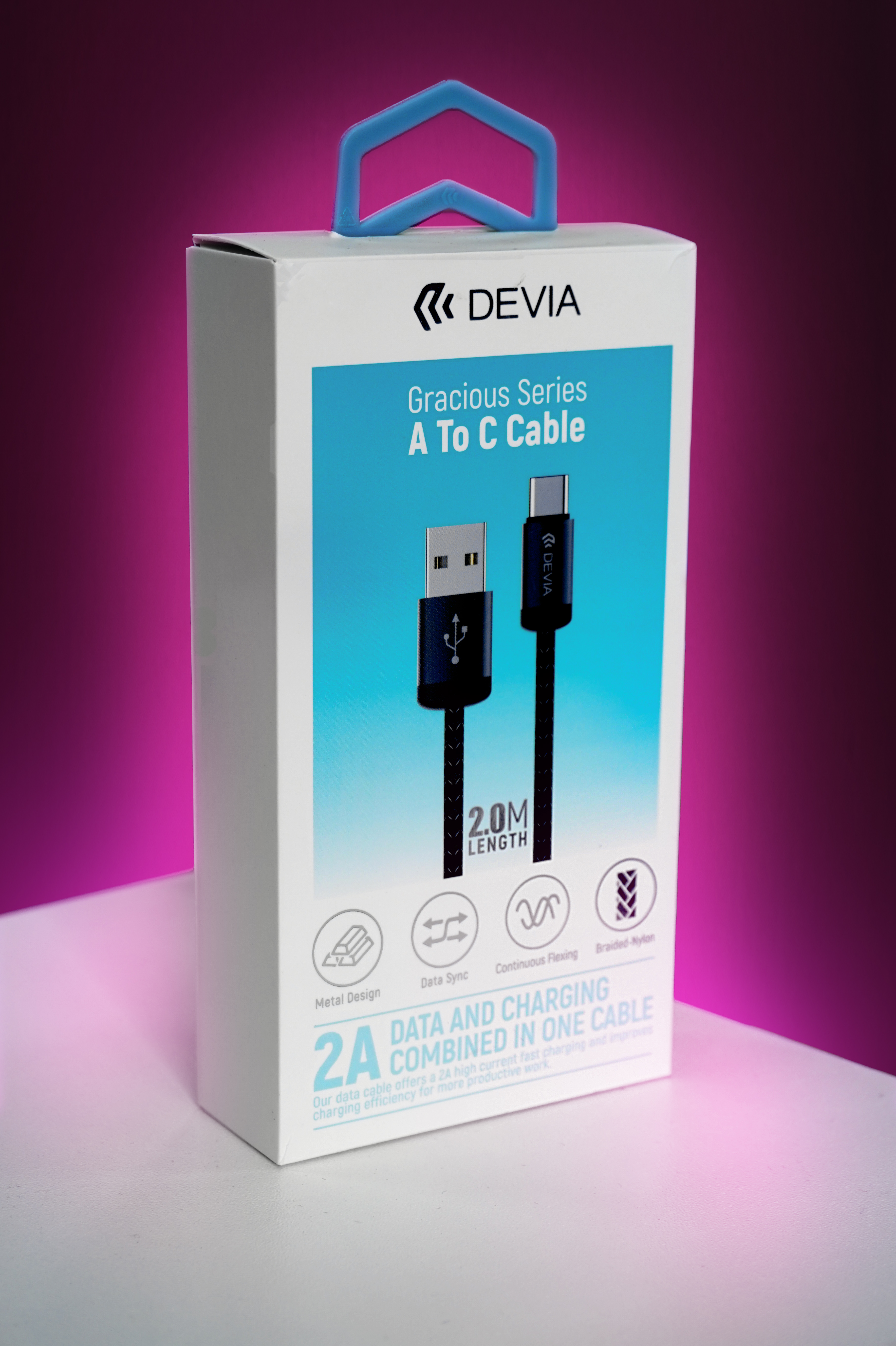
The Devia Gracious Series A to C cable is a 2m braided nylon lead rated at 2A for fast charging, with full USB data sync. A solid upgrade over the thin cables most phones ship with, and long enough to reach across a desk or from the bed to the socket.
Why Buy In-Store
You need a cable now, not in two days. And you want the right one, not one that turns up and doesn’t fit your device. Walk in, tell us what you’re connecting, and we’ll hand you the correct cable.
If you’re not sure what connectors your devices have, bring them in. We’ll look at the ports and match you with the right cable in two seconds. Much better than ordering three different cables from Amazon, keeping one, and returning two.
If your device isn’t charging or syncing properly, the cable might be the problem. Or the charging port might need cleaning or repair. Either way, we can diagnose it.
153 Perth Road, Monday to Friday 9:30 to 17:30, Saturday 10 to 17. Nae appointment needed.
Need a USB cable? Drap in tae 153 Perth Road. We’ll match you with the right one.
Call Us