

Computer Cable Sales Dundee
Need a cable? Power leads, display cables, data cables, adapters and more. We stock a range at our Perth Road shop. Walk in and grab what you need.
 Google Reviews


Need a cable and need it now? Whether your laptop charger has packed in, you need an HDMI lead for a presentation, or you’re setting up a new monitor, we stock a range of computer cables at our Perth Road shop. Walk in and grab what you need. No waiting for delivery.
Not sure which cable you need? That’s fine. Bring your laptop, your monitor, or whatever you’re trying to connect and we’ll work it out for you. Different ports, different versions, different speeds. It’s confusing and we don’t expect you to know the difference between DisplayPort 1.4 and HDMI 2.1. That’s what we’re here for.
What We Stock
We carry cables for connecting, charging, and transferring data between computers, monitors, printers, and peripherals. The main categories:
- Display cables: HDMI, DisplayPort, VGA, DVI, and USB-C display adapters
- USB cables: USB-A to USB-C, USB-C to USB-C, USB-A to USB-B (printers), USB extensions
- Ethernet cables: Cat6 network cables in various lengths
- Power cables: Laptop charger leads, IEC power cables, extension leads, surge protectors
- Audio cables: 3.5mm aux cables, USB audio adapters
Stock changes as new products come in. If you need something specific, gee’z a shout on 01382 217272 and we’ll check before you come in.
Display Cables
Connecting a monitor, TV, or projector to your computer. The most confusing cable category because there are so many types that look similar but aren’t interchangeable.
HDMI is the most common. Used by most monitors, TVs, projectors, and gaming consoles. If you’re connecting a laptop to a TV or an external monitor, HDMI is usually what you need. HDMI 2.0 handles 4K at 60Hz which is fine for most folk. HDMI 2.1 handles 4K at 120Hz and higher, which matters for gaming and high refresh rate monitors.
DisplayPort is common on gaming monitors, desktop graphics cards, and newer displays. The connector looks similar to HDMI but has one angled corner. DisplayPort supports higher refresh rates and can drive multiple monitors from a single output (daisy-chaining). If you’ve got a gaming monitor or a multi-monitor desk setup, DisplayPort is often the better choice.
USB-C to HDMI or USB-C to DisplayPort adapters are needed for newer laptops that only have USB-C ports. MacBooks, Dell XPS, and many modern thin laptops have dropped dedicated display ports. A USB-C adapter or cable solves it. We stock both adapters and direct cables.
VGA is the older blue connector with two rows of pins. Still found on some projectors and older monitors. We stock VGA cables and VGA to HDMI adapters for connecting older equipment to newer laptops. If your workplace has an old projector in the meeting room, a VGA adapter is what you’ll need.
Not sure which one your monitor needs? Bring the laptop in and we’ll look at the ports. It takes two seconds to identify.
USB Cables
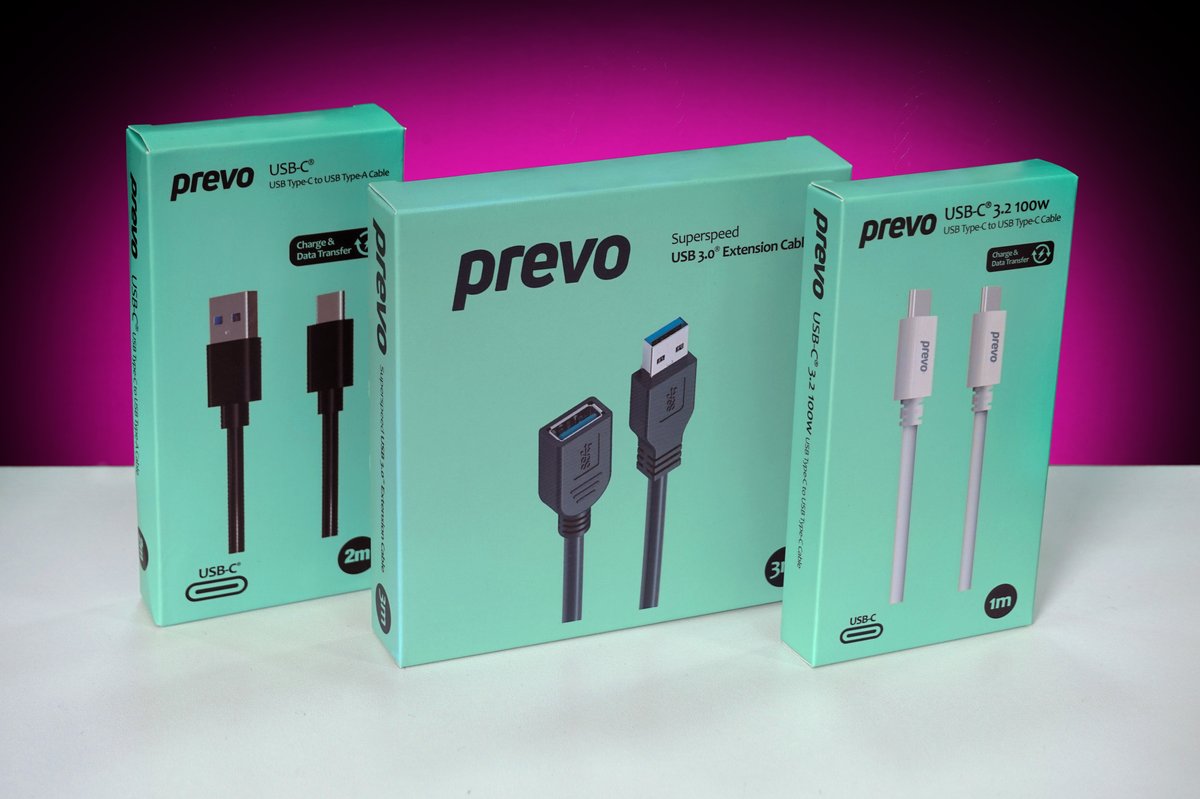
USB cables are the most commonly needed cables we sell. The types we stock:
USB-A to USB-C. For connecting phones and newer peripherals to older computers that have the standard rectangular USB-A ports. The most common cable people need. We stock these from Prevo in various lengths.
USB-C to USB-C. For connecting between modern devices. Newer laptops, tablets, phones. Also used for charging laptops via USB-C Power Delivery. Our Prevo USB-C 3.2 100W cable handles both fast data transfer and high-power charging through a single cable.
USB-A to USB-B. The square connector used by most printers and some external drives. If you’ve just bought a printer and it didn’t come with a cable (many don’t these days), this is what you need.
USB extension cables. When your cable is too short to reach. Our Prevo SuperSpeed USB 3.0 extension cable maintains full USB 3.0 speed over the extended length. Handy for webcams, keyboards, or any peripheral that needs to be further from your computer than the included cable allows.
The speed standard matters. USB 2.0 transfers at about 30MB/s. USB 3.0/3.2 transfers at up to 450MB/s. If you’re transferring large files, a USB 3.0 cable makes a noticeable difference. All the Prevo cables we stock are USB 3.0 or higher. For more on phone charging cables, see our phone cable page.
Ethernet Cables
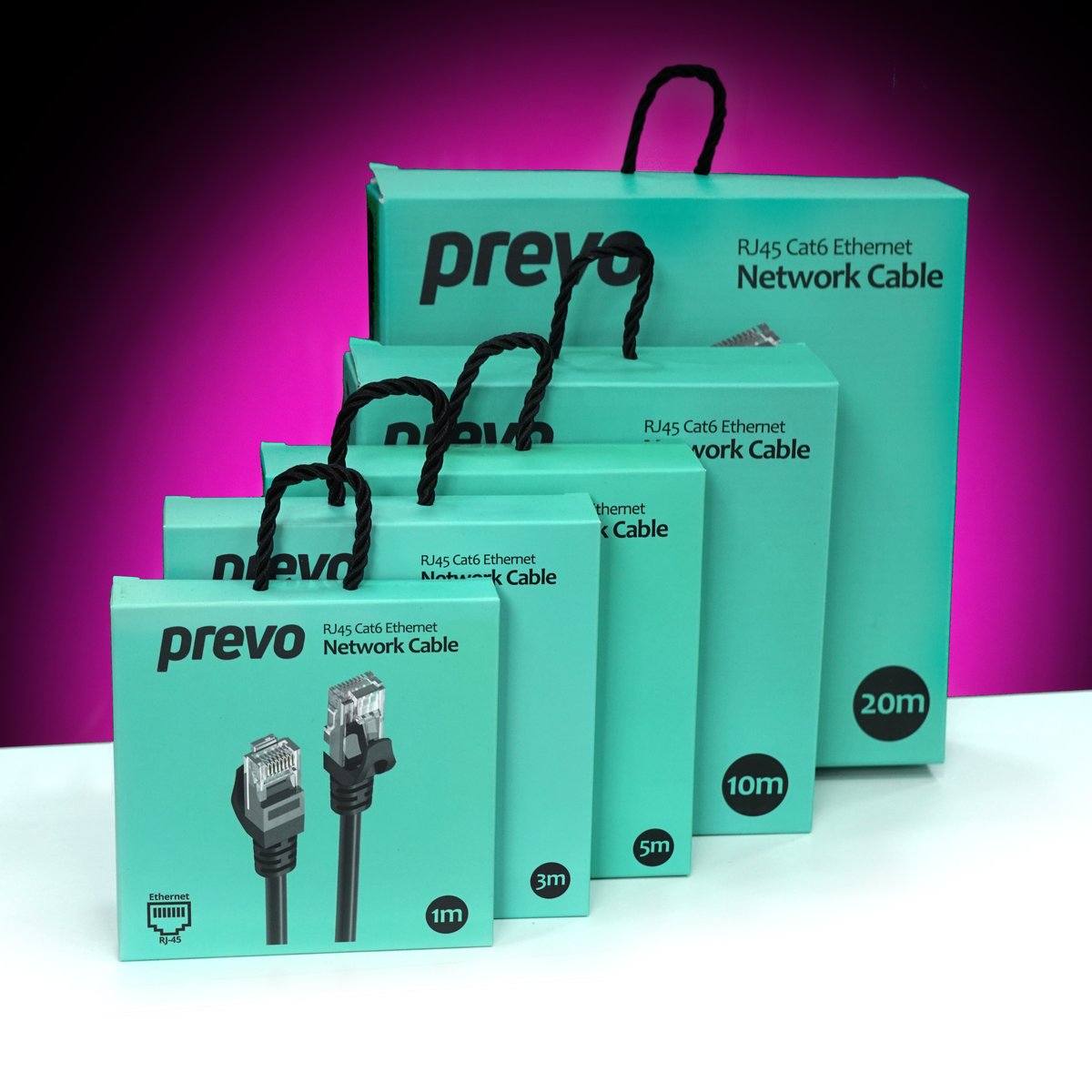
WiFi is convenient, but when you need a rock-solid internet connection for video calls, gaming, or large downloads, a wired ethernet cable is always faster and more stable. No signal drops, no interference from walls, no competing with everyone else on the WiFi.
We stock Cat6 ethernet cables from Prevo in five lengths: 1m, 3m, 5m, 10m, and 20m. Cat6 is the right choice for most home and office setups. It supports gigabit speeds (1Gbps) and can handle 10Gbps over shorter runs. That’s more than enough for any broadband connection in Dundee.
Quick guide to ethernet cable categories:
- Cat5e: supports up to 1Gbps. Still works fine but is the older standard.
- Cat6: supports up to 10Gbps at short distances, 1Gbps over 100m. The best value choice for 2026. This is what we stock.
- Cat7/Cat8: faster but much more expensive and unnecessary for home or small office use. You’d only need these in a data centre.
If your WiFi is unreliable for video calls, try running a Cat6 cable from your router to your computer. The difference in stability and speed is usually dramatic. One cable fixes months of frustration with dropped calls and buffering.
Power Cables and Chargers
Laptop charger died? The charger cable itself (the lead from the wall plug to the power brick) uses a standard IEC connector that’s universal across most laptops. If only the cable has failed but the power brick still works, a replacement IEC lead is cheap and we stock them.
If the entire charger (brick and all) has failed, bring your laptop in and we’ll match you with the right replacement. Different laptops use different charger connectors and wattages. Getting the wrong wattage means your laptop charges slowly or not at all. We’ll check what your laptop needs.
We also stock power extension leads and surge protectors for home office setups. A surge protector is worth the few extra pounds over a basic extension lead because it protects your computer equipment from power spikes. Lightning, power cuts, and dodgy wiring can send voltage spikes through the mains that damage sensitive electronics.
Do I Need an Expensive Cable?
For digital cables (HDMI, DisplayPort, USB, ethernet), the honest answer is usually no. The signal is digital, which means it either arrives perfectly or it doesn’t arrive at all. A £5 HDMI cable carries the same digital signal as a £50 one. There’s no “better picture quality” from a more expensive digital cable.
What matters is the cable meeting the right standard. An HDMI 2.0 cable supports 4K at 60Hz regardless of whether it cost £5 or £50. A USB 3.0 cable transfers data at the same speed regardless of brand. As long as the cable meets the specification you need, the cheapest certified option works just as well.
Where quality matters: build quality and durability. A better-built cable has stronger connectors that don’t wobble, better strain relief that doesn’t fray at the ends, and thicker insulation that lasts longer. You’re paying for the cable lasting years rather than months, not for better signal quality.
The cables we stock from Prevo are well-built without being overpriced. Good connectors, decent strain relief, proper certifications. The right balance between quality and cost.
Why Buy In-Store
Cables are one of those things you usually need right now, not tomorrow. Your charger’s died before a deadline. You’re setting up a monitor and realised you don’t have the right lead. You need an ethernet cable for the meeting room.
Walk in, tell us what you’re connecting, and we’ll find the right cable. If you’re not sure what ports your devices have, bring them in and we’ll check. It’s much better than ordering three different cables from Amazon and returning two of them.
We also stock computer accessories including speakers, webcams, external drives, and more. If your computer itself needs repairing, we handle that too.
153 Perth Road, Monday to Friday 9:30 to 17:30, Saturday 10 to 17. Nae appointment needed.
Need a cable? Drap in tae 153 Perth Road. We’ll match you with the right one.
Call Us