

HDMI Cable Sales Dundee
Need an HDMI cable? Standard HDMI, micro HDMI, USB-C to HDMI adapters. In stock at our Perth Road shop. Walk in and grab one.
 Google Reviews


Need to connect your laptop to a monitor, a TV, or a projector? An HDMI cable is usually what you need. We stock HDMI cables and adapters at our Perth Road shop. Walk in and grab one. No waiting for delivery when you’ve got a presentation in an hour.
HDMI is the standard connection for video and audio between computers, monitors, TVs, projectors, and gaming consoles. One cable carries both the picture and the sound. Plug it in and it works. No separate audio cables needed.
HDMI Cable Types
Standard HDMI cables have the full-size HDMI connector on both ends. This is what most folk need. Works with monitors, TVs, projectors, gaming consoles, set-top boxes, and soundbars. We stock them in 1m, 2m, and 3m lengths.
Micro HDMI cables have a smaller connector on one end for compact devices. Some tablets, cameras, and portable projectors use Micro HDMI. If your device has a tiny HDMI port that’s noticeably smaller than a standard HDMI plug, this is what you need.
Mini HDMI is a size between standard and micro. Less common now but still used by some cameras and older tablets. We stock adapters for Mini HDMI to standard HDMI.
All three connector sizes carry the same signal. The size is just about fitting into smaller devices. A Micro HDMI cable from a tablet to a TV gives you the same picture quality as a standard HDMI cable from a console to a TV.
HDMI 2.0 vs 2.1: Which Do You Need?
HDMI cables come in different speed ratings. The version number tells you how much data the cable can carry, which determines what resolution and refresh rate it supports.
HDMI 2.0 (High Speed): supports 4K at 60Hz with 18Gbps bandwidth. This is what most folk need. If you’re connecting a laptop to a monitor for work, watching Netflix on a TV, or giving presentations, HDMI 2.0 handles all of it without breaking a sweat.
HDMI 2.1 (Ultra High Speed): supports 4K at 120Hz and 8K at 30Hz with 48Gbps bandwidth. You need HDMI 2.1 if you’re gaming on a PS5 or Xbox Series X and want 4K at 120Hz, or if you have a high refresh rate gaming monitor. HDMI 2.1 also adds Variable Refresh Rate (VRR) which eliminates screen tearing in games.
Which do you actually need? For connecting a laptop to a monitor or TV for everyday use, any HDMI cable works. HDMI 2.0 is more than enough. For 4K gaming at high frame rates, HDMI 2.1. If you’re not sure, bring your devices in and we’ll tell you. Most folk don’t need 2.1 and shouldn’t pay extra for it.
Both types fit the same port. The connectors are identical. An HDMI 2.0 cable works in an HDMI 2.1 port (just at 2.0 speeds) and vice versa. You won’t damage anything by using the “wrong” version.
Connecting a Laptop to a Monitor or TV
Most laptops have either an HDMI port or a USB-C port (or both). If your laptop has a full-size HDMI port, grab a standard HDMI cable and plug it in. Done.
If your laptop only has USB-C ports (common on MacBooks, Dell XPS, HP Spectre, and many modern thin laptops), you need a USB-C to HDMI adapter or cable. These are plug and play: connect the USB-C end to your laptop, the HDMI end to your monitor, and the external display should appear within seconds. We stock both adapter dongles and direct USB-C to HDMI cables.
Older laptops might have a VGA port (blue connector with two rows of pins) or a DisplayPort. We stock VGA to HDMI adapters and DisplayPort to HDMI cables for these situations. VGA only carries video (no audio), so you’ll need a separate audio connection if you’re presenting with sound.
If you’re connecting a laptop to a TV for watching films or streaming, HDMI carries both video and audio. Your TV becomes a big monitor with sound. Just change the input source on your TV to the HDMI port you’ve plugged into.
Not sure what port your laptop has? Bring it in and we’ll check. Takes two seconds.
HDMI Adapters
Sometimes you need an adapter rather than a straight cable. We stock:
- USB-C to HDMI for modern laptops without HDMI ports. The most common adapter we sell.
- VGA to HDMI for connecting older laptops to newer monitors or TVs.
- Mini DisplayPort to HDMI for older MacBooks (2012-2015 era).
- DisplayPort to HDMI for desktop computers and gaming PCs with DisplayPort outputs.
- HDMI splitters for sending one HDMI signal to two screens simultaneously.
If you’re doing a presentation and realise the projector only has VGA but your laptop only has USB-C, we can usually sort you out with the right combination of adapters. Bring both devices in (or at least know the model numbers) and we’ll match you up.
Do Expensive HDMI Cables Make a Difference?
Short answer: no. According to the Senior Technical Manager for HDMI Licensing, “in terms of picture quality there’s no difference.” HDMI is a digital signal. It either arrives perfectly or it doesn’t arrive at all. There’s no “slightly better picture” from a more expensive cable. A £5 HDMI cable delivers exactly the same image and sound as a £50 one.
Where price matters: build quality. A better-built cable has stronger connectors that don’t wobble in the port, better strain relief where the cable meets the plug, and more durable outer jacketing. You’re paying for the cable lasting years rather than months, not for better signal quality.
The one exception is cable length. Over about 5 metres, cheap cables can struggle to maintain a reliable 4K signal. For long runs (connecting a projector across a meeting room, for example), a better-quality cable or an active HDMI cable with a built-in signal booster is worth the extra. For the typical 1m to 3m run between a desk and a monitor, the cheapest certified cable works perfectly.
The cables we stock are well-built without being overpriced. Good connectors, proper certifications, and they’ll last. No need to spend more than a few quid.
Cable Length
Pick the right length for your setup. Too short and it won’t reach. Too long and you’ve got excess cable cluttering your desk.
1m: desk to monitor directly behind. Tidy, minimal cable visible.
2m: the most popular length. Gives you some slack for desk rearrangement and reaches most monitor positions.
3m: for setups where the computer is under the desk or further from the monitor. Also good for connecting a laptop to a meeting room TV.
5m+: for projectors, wall-mounted TVs, or conference room setups. At these lengths, make sure the cable supports the resolution you need. Cheap long cables can drop 4K signals.
As a rule, buy the shortest cable that comfortably reaches with a bit of slack. Shorter cables are tidier and more reliable over longer distances.
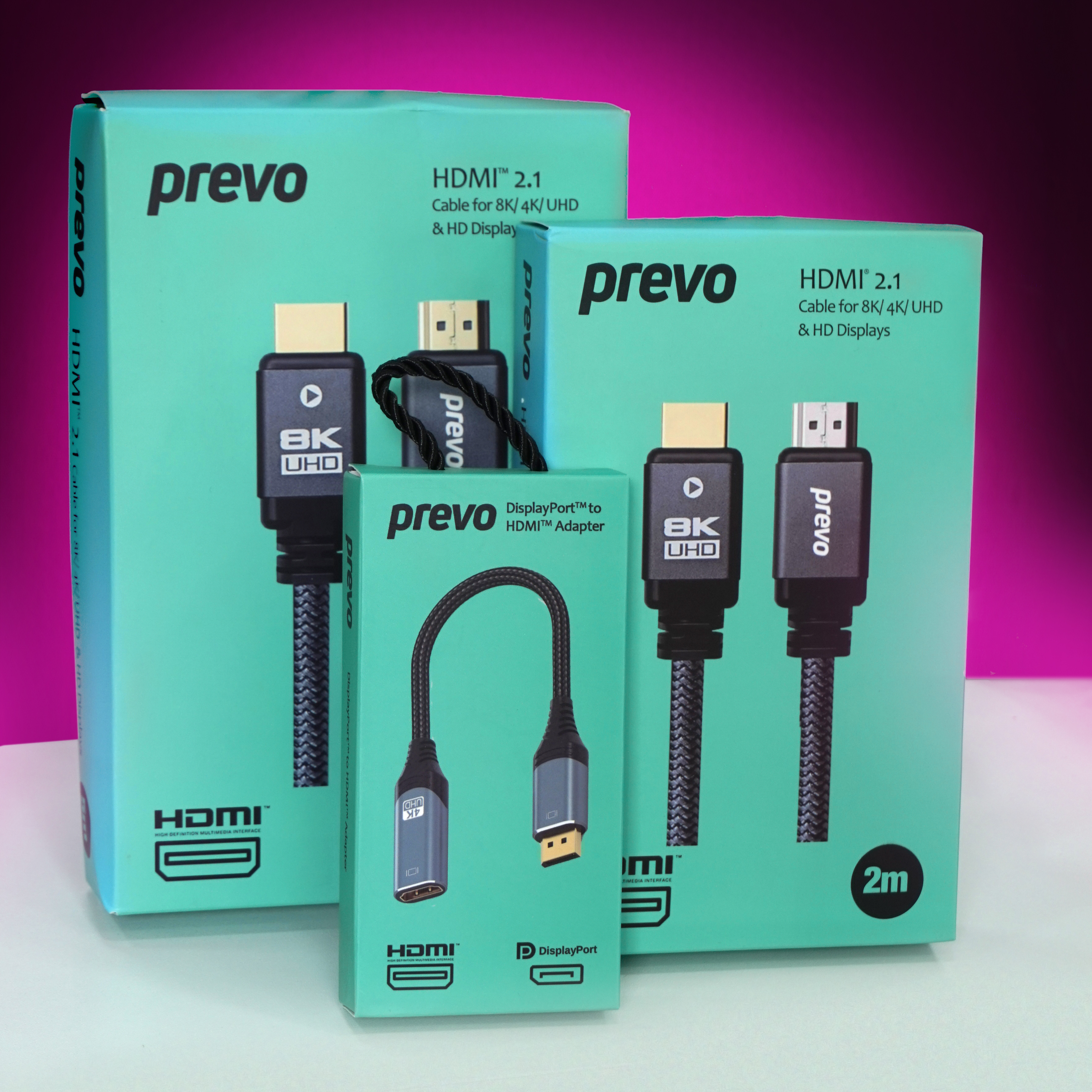
We stock the Prevo HDMI 2.1 range in two lengths (2m and 5m) plus a DisplayPort to HDMI adapter for machines with a DP output running a monitor that only has HDMI in. All 8K at 60Hz capable with full backwards compatibility for 4K and HD.
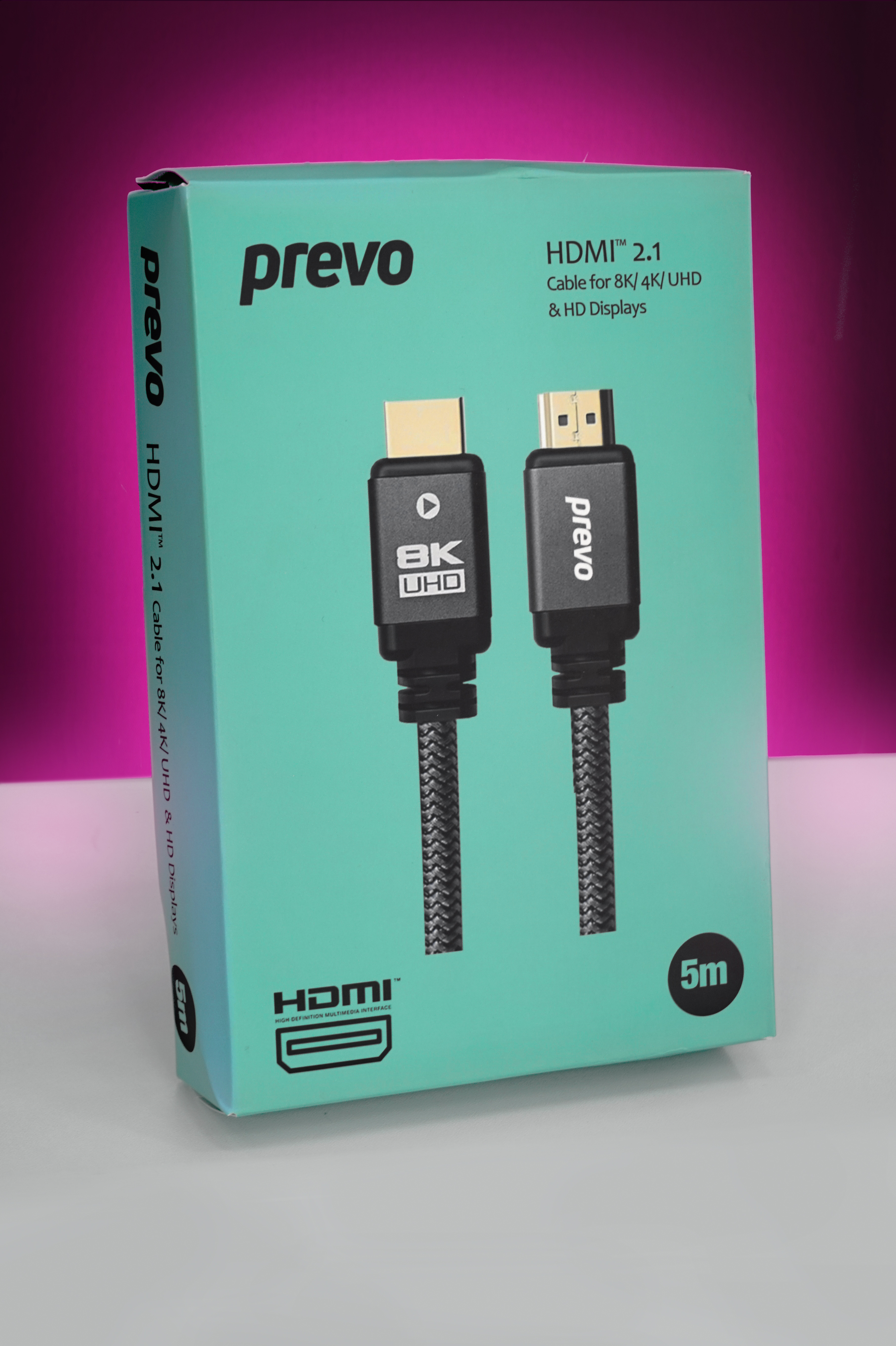
The 5m version is the one to grab if you are running a cable from a console or media box across the room to a wall-mounted TV. 4K at 120Hz and low-latency gaming modes supported.
Why Buy In-Store
HDMI cables are something you usually need urgently. Presentation tomorrow, new TV just arrived, monitor not connecting. Walk in, tell us what you’re connecting to what, and we’ll hand you the right cable or adapter. No guessing from online product listings.
We can also check what ports your laptop has and recommend the right cable or adapter combination. If your setup needs a USB-C to HDMI adapter, we’ll test it works before you leave.
For other computer cables (ethernet, USB, power), computer accessories, or computer repairs, we handle those too.
153 Perth Road, Monday to Friday 9:30 to 17:30, Saturday 10 to 17. Nae appointment needed.
Need an HDMI cable? Drap in tae 153 Perth Road. We’ll match you with the right one.
Call Us