

Mobile Phone Software Repair Dundee
Phone frozen, stuck on the logo, or running like treacle? We fix software problems on all phones at our Perth Road workshop. Most software repairs done same day.
 Google Reviews


Phone stuck on the Apple logo? Android phone in a boot loop? Apps crashing every time you open them? Screen frozen and nothing works? Software problems are frustrating because the phone looks fine on the outside but won’t do what it’s supposed to.
Before you assume your phone is broken beyond repair, a lot of these issues are software related and fixable. A corrupted update, a rogue app, a storage drive that’s completely full, or a system file that’s got corrupted. These things happen, and most of the time we can sort them without you losing your data.
At Repair Alliance on Perth Road, we diagnose software problems on iPhones and Android phones every day. We work out whether it’s genuinely a software issue or whether there’s a hardware fault underneath causing the symptoms. That distinction matters because fixing software on a phone with a failing storage chip is a waste of your money.
Most software repairs are done same day. Your data is preserved where possible. We’ll always tell you if there’s a risk to your data before we start. Walk-ins welcome, nae appointment needed. Every repair comes with a 90-day warranty.
Common Phone Software Problems
Here are the software issues we see most often at our Perth Road workshop:
Stuck on the logo (boot loop). The phone starts up, shows the Apple or manufacturer logo, then restarts. Over and over. This is the single most common software fault we see. Usually caused by a failed update, corrupted system files, or a storage chip that’s starting to fail.
Phone frozen or unresponsive. The screen is on but nothing responds to touch. Buttons don’t work. Can’t turn it off. Sometimes caused by a rogue app, sometimes by a system crash, sometimes by overheating.
Apps crashing constantly. Every time you open an app it closes immediately, or the phone restarts. Could be a corrupted app, a compatibility issue after an update, or not enough storage space for the app to run properly.
Phone running extremely slow. Everything takes ages. Apps take forever to open, typing lags behind your fingers, scrolling stutters. Could be software bloat, too many background processes, or a storage drive that’s nearly full and struggling.
Phone won’t update. Stuck on “Verifying Update” or the update fails every time. Common after iOS and Android major version releases. Sometimes needs a restore through a computer to get past it.
Disabled or locked out. Entered the wrong passcode too many times and the phone is disabled. iPhone shows “iPhone is disabled, connect to iTunes.” We can restore the phone, but the data may be lost in this scenario unless you have a backup.
No signal or connectivity issues. WiFi won’t connect, mobile data doesn’t work, Bluetooth keeps dropping. Sometimes software, sometimes hardware. We test the radios to work out which.
Battery draining fast (software cause). Sometimes rapid battery drain isn’t the battery itself but a rogue app or process running in the background constantly. We check for this before recommending a battery replacement. No point fitting a new battery if the software is the problem.
Is It Software or Hardware?
The tricky thing about software problems is they can look exactly like hardware problems. A phone stuck in a boot loop could be a corrupted update or a failing NAND storage chip. A phone running slow could be software bloat or a degraded battery throttling the processor. A phone with no signal could be a software glitch or a damaged antenna.
This is why we test the hardware first. If the phone can connect via cable, we run diagnostic software to check storage health, battery condition, and whether the key components are functioning. If the hardware checks out, we know it’s software and we can fix it with confidence.
If the hardware is faulty, no amount of software work will fix it. A phone with a failing storage chip will boot loop again even after a clean restore. A phone with a damaged charging port might show software errors because the data connection is unreliable. We identify the real cause before spending your money on the wrong fix.
Common hardware faults that masquerade as software problems:
- Failing NAND storage (causes boot loops, random restarts, data corruption)
- Degraded battery (causes throttling, slow performance, unexpected shutdowns)
- Damaged logic board (causes random freezes, crashes, connectivity loss)
- Loose screen connector after a drop (causes touch issues that look like software bugs)
We won’t just guess. If it’s hardware, we’ll tell you. If it’s software, we’ll fix it. Either way, you’ll know what’s actually going on with your phone.
Phone playing up? Walk in or gee’z a call and we’ll diagnose the problem on the spot.
Call UsWhat About My Data?
This is the first question everyone asks, and rightly so. Your photos, messages, WhatsApp chats, contacts, everything that matters is on that phone.
In most cases, we fix the software problem without touching your data. Photos, messages, apps, settings. Everything stays where it is. We work through fixes in order of least to most disruptive, starting with approaches that preserve your data completely.
There are some situations where data loss is unavoidable:
- iPhone disabled with no backup (Apple’s security requires a full restore)
- Severely corrupted file system that can’t be repaired without a wipe
- Failing storage chip where the data is already partially corrupted
- Custom ROM or rooting that’s gone badly wrong
We’ll always tell you the risk before we start. If there’s any chance of data loss, you’ll know about it upfront. We won’t just wipe your phone without asking.
If a wipe is necessary and you don’t have a backup, we can sometimes pull photos and files off the phone before resetting it. Depends on the phone and the nature of the problem, but it’s always worth asking. And sometimes your iCloud or Google account already has more backed up than you realise. We’ll check that with you first.
The best protection is regular backups. iPhone users: turn on iCloud backup in Settings. Android users: make sure Google Photos backup is on and Google Drive is syncing your important files. If something goes wrong with your phone in the future, your data is safe regardless of what happens to the device.
Boot Loops and Frozen Screens
Boot loops deserve their own section because they’re the most common software fault we see and the one that causes the most panic. Your phone is stuck in a cycle of starting up and restarting, never getting past the logo screen. It feels like the phone is dead.
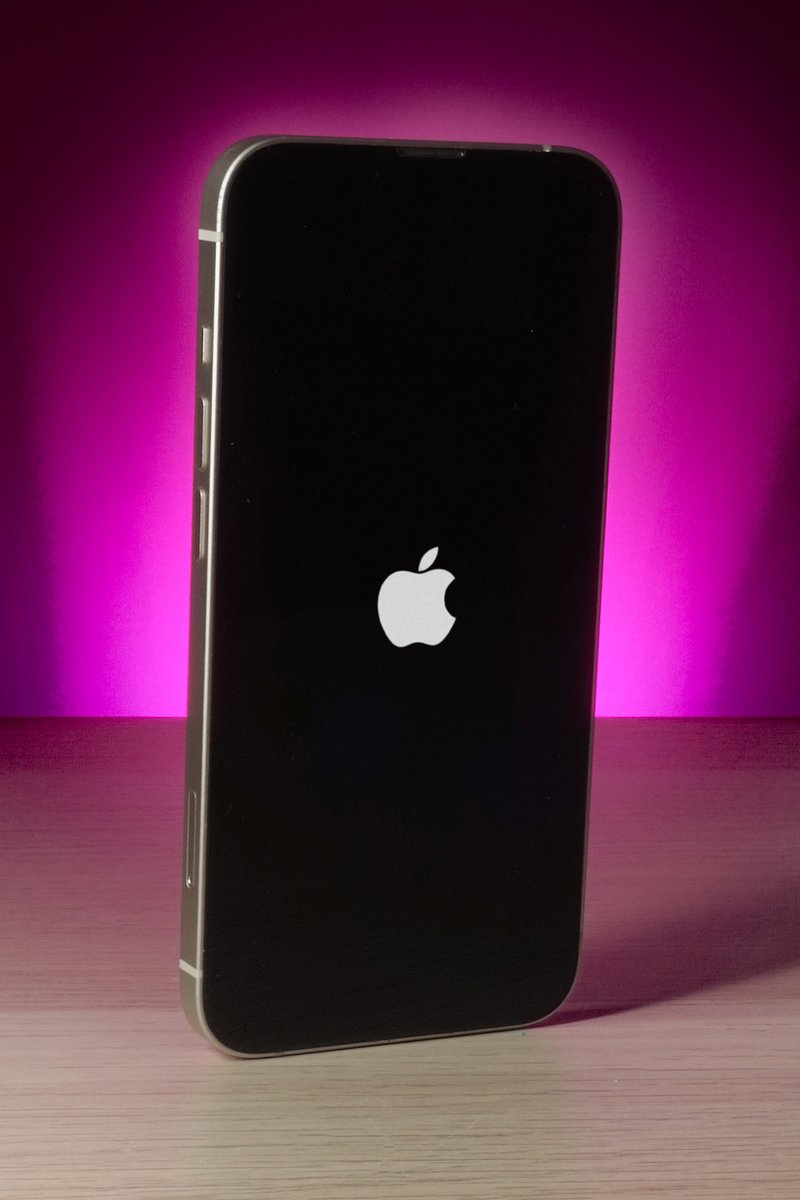
The good news: your data is almost certainly still on the phone. A boot loop means the operating system can’t load properly, but the storage where your files live is usually intact. The phone just can’t get past the startup process to show you everything.
What causes boot loops:
- Failed or interrupted iOS/Android update (the most common cause by far)
- Storage completely full, leaving no room for the system to operate
- Corrupted system files from a crash or forced shutdown
- Jailbreaking or rooting that went wrong
- Failing NAND storage chip (this is a hardware problem that looks like software)
What you can try before coming in: On iPhone, try a force restart: press Volume Up, release, press Volume Down, release, then hold the Side button until the Apple logo appears. On Android, hold Power and Volume Down together for 10 to 15 seconds. If the phone boots up normally after that, it was a temporary glitch. If it goes straight back into the loop, it needs professional attention.
Don’t keep force-restarting it over and over hoping it’ll work. Repeated forced restarts on a phone with a corrupted file system can make things worse. If one force restart doesn’t fix it, bring it in.
A frozen screen (phone is on but completely unresponsive) is a related issue. Same force restart sequence usually unfreezes it. If the phone keeps freezing repeatedly, there’s an underlying cause that needs diagnosing.
iPhone Software Repair
iPhone software issues usually fall into a few categories:
Stuck on Apple logo or recovery mode. The most common iPhone software fault. Often happens after a failed iOS update or a restore that went wrong. We can usually fix this using DFU mode restore while preserving your data where possible. If the standard restore doesn’t work, it can indicate a failing NAND storage chip, which is a hardware issue that needs a different approach.
iPhone disabled. Too many wrong passcode attempts. The phone shows “iPhone is disabled, connect to iTunes” or a timer counting down. We can restore the phone through recovery mode. Unfortunately, if you don’t have an iCloud or iTunes backup, the data on the phone will be lost during the restore. Apple’s security doesn’t allow bypassing the passcode.
iOS update problems. Update stuck downloading, stuck verifying, or the phone restarted during the update and now won’t boot. We can force the update through a computer connection, or restore to a clean version of iOS. Common after major releases when Apple’s servers are under heavy load.
Storage full. Phone says storage is full but you can’t work out where the space has gone. “Other” or “System Data” taking up 30GB or more. We can clear the caches and system bloat that builds up over time without deleting your photos and apps.
Apps crashing after update. A new iOS version can break compatibility with older apps, or cached data from the previous version causes conflicts. We clear the app caches and reinstall problem apps cleanly. Usually fixable without losing your app data.
For broader iPhone repair issues including hardware faults, see our dedicated page.
Android Software Repair
Android software issues are more varied because there are so many different manufacturers running different versions of Android with their own customisations on top. Samsung, Google, Huawei, OnePlus, Xiaomi, Motorola. Each has its own quirks.
Boot loop. Phone keeps restarting, never gets past the logo. Could be a failed update, a corrupted system partition, or a rogue app. We can often boot into safe mode or recovery mode to diagnose and fix without data loss.
Phone running slow. Android phones accumulate cached data, background processes, and bloatware from the manufacturer. We can clean this up without a full factory reset. Samsung phones in particular tend to slow down over time due to the number of Samsung apps running in the background.
Apps crashing or force closing. Usually a compatibility issue after an Android update, or a corrupted app cache. We clear the caches, update the problem apps, and if needed, reinstall them cleanly.
Custom ROM or rooting issues. If you’ve rooted your phone or installed a custom ROM and something’s gone wrong, we can usually restore it to stock firmware. This will wipe the phone but gets it back to a working state.
Connectivity problems. WiFi, Bluetooth, or mobile data not working after an update. Sometimes a network settings reset fixes it. Sometimes the radio firmware needs updating. We diagnose which before doing anything.
For broader Android phone repair including hardware issues, see our dedicated page.
What We Can’t Fix
We’re honest about limitations. There are some things nobody can fix, and we’d rather tell you upfront than take your money for something that won’t work.
iCloud Activation Lock. If the phone is asking for an Apple ID and password after a reset, that’s iCloud Activation Lock. We can’t bypass it. Nobody can, legitimately. You need the original Apple ID credentials. If you bought the phone second-hand and it’s activation locked, contact the seller and ask them to remove it from their Apple account remotely.
Google FRP Lock. After a factory reset, the phone asks for the Google account that was previously linked. This is Google’s Factory Reset Protection. Same as Apple’s activation lock, we can’t bypass it. You need the original Google account credentials.
Stolen or blacklisted phones. We check IMEI status. If a phone has been reported lost or stolen, we won’t work on it.
Phones with completely failed storage. If the NAND chip has physically failed (not just corrupted), the data is gone and the phone needs a new chip. On most modern phones, the storage is soldered to the board and paired to the processor, making chip replacement impossible or impractical. In this case, the phone is usually beyond economic repair.
Our Software Repair Process
Step one: diagnose. We test hardware first. Storage health, battery condition, key components. If the hardware is fine, we move to software diagnosis. We check error codes, crash logs, and system status to identify the specific problem.
Step two: try the gentle fixes. We start with approaches that don’t risk your data. Clearing caches, removing problem apps, repairing the operating system in place, rolling back updates. Most software issues are fixed at this stage.
Step three: deeper intervention. If the gentle fixes don’t work, we move to more involved approaches. OS reinstallation, partition repair, firmware restoration. We talk you through the data implications before proceeding.
Step four: test everything. Once the software is sorted, we test the phone thoroughly. Boot cycle, app loading, connectivity, camera, sensors. We make sure the fix sticks and the phone is stable before handing it back.
Your data stays untouched through steps one and two. If step three is needed, we discuss it with you first and back up what we can.
When Factory Reset Is the Answer
A lot of repair shops will just factory reset your phone and hand it back. Easy for them. Devastating for you if you didn’t have a backup.
We don’t do that unless it’s the only option. But sometimes it genuinely is. If the file system is so corrupted that no targeted fix can repair it, a clean wipe and reinstall of the operating system is the only way forward. If a deep system issue keeps causing the same problem after targeted fixes, a factory reset clears it properly.
When a factory reset is necessary, we help you back up whatever we can first. Photos to a computer, contacts synced to Google or iCloud, WhatsApp chats exported. We make sure you lose as little as possible.
After the reset, we help you set the phone back up. Reinstall your apps, reconnect your accounts, restore from backup where available. We don’t just wipe it and hand you a blank phone.
Phone stuck, crashing, or running like treacle? Drap it in tae 153 Perth Road. We’ll diagnose it properly and give you an honest answer. Nae appointment needed.
Call Us