

iMac 24″ M1 A2439 (2021) Repair Dundee
iMac 24" M1 showing a folder with a question mark on startup? M-series iMacs are beautifully thin but tightly packed, so repairs need the right experience. Bring it to our Perth Road workshop in Dundee, walk-ins welcome and most repairs done the same day.
Google Reviews


About the iMac 24″ M1 A2439 (2021)
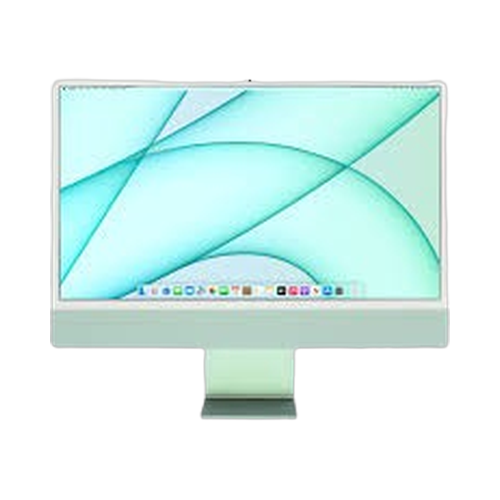
The iMac 24" M1 A2439 (2021) (A2439) was released in 2021 as the completely redesigned M1 iMac in a stunning thin colourful design (two-port model). A total redesign from the ground up. The M1 iMac ditched the aluminium slab for a remarkably thin, colourful design with a 24-inch 4.5K Retina display. This two-port model has 7-core GPU, two Thunderbolt ports, MagSafe power, and Touch ID via the Magic Keyboard. We repair every component at our Perth Road workshop in Dundee.
Common iMac 24" M1 A2439 (2021) repairs include display panel damage (the 24-inch 4.5K is expensive), power issues (MagSafe connector or power adapter), and software/firmware problems. The M1 iMac has no user-upgradeable components. RAM and storage are soldered to the logic board. The ultra-thin design means repairs require careful handling. Display replacement is the most expensive repair due to the 4.5K panel cost. Our technicians have over 20 years' combined experience with iMac repairs and handle everything from straightforward SSD upgrades to complex board-level diagnostics.
The iMac 24" M1 A2439 (2021). The colourful M1 iMac, impossibly thin, blazing fast, and comes in seven gorgeous colours. If yours isnae working right, drap it in to our Perth Road workshop and we'll get it sorted. We ken whit we're daein wi' iMacs.
The iMac 24" M1 A2439 (2021) is the base two-port M1 configuration with a 7-core GPU. The four-port model (A2438) has an 8-core GPU and additional USB ports. Both share the same display, processor, and colourful design. Not sure which iMac you have? Check the model number (A2439) printed on the bottom of the stand, or go to Apple menu > About This Mac.
Model Numbers
You can find your iMac model number in Settings:
Device Specifications
iMac 24″ M1 A2439 (2021) Specs
Not Sure Which iMac You Have?
Dinnae worry - it's easy to check. Here's how to find your model number:
- Option 1: Click the Apple menu > About This Mac to see your model name and year.
- Option 2: Check the model number on the bottom of the stand or the rear of the display.
- Option 3: Just bring it in! We'll identify your exact model in seconds - nae bother at all.
Common iMac 24″ M1 A2439 (2021) Issues We Fix
Here are the issues we see most frequently at our Perth Road workshop:
Our technicians have over 20 years' combined experience. If it can be repaired, we'll fix it. If it cannae, we'll tell you straight - we'd rather give you honest advice than take your money for a repair that won't last.
Not sure what's wrong with your iMac 24″ M1 A2439 (2021)? Just bring it in and we'll diagnose the issue. Nae appointment needed.
Call UsiMac 24″ M1 A2439 (2021) Repairs
Select the issue you're having with your iMac 24″ M1 A2439 (2021). All repairs include a 90-day warranty and most are completed same day.
Not sure what's wrong? Select Diagnostic and we'll figure it out.
Same-Day Repairs Available
Select a repair above to book your drop-off time
Choose a RepairiMac 24″ M1 A2439 (2021) Repair Questions
How much does it cost to replace the screen on my iMac 24" M1 A2439 (2021)?
The iMac 24" M1 A2439 (2021) has a 4.5K Retina display in Apple's thin design, making screen replacement a specialist job. The display panel is expensive due to the high resolution and True Tone calibration. Bring it in to our Perth Road workshop and we'll give you an accurate quote after a diagnostic - we ken whit we're daein wi' iMac display repairs.
Can you upgrade the SSD in my iMac 24" M1 A2439 (2021)?
The iMac 24" M1 A2439 (2021) has its storage soldered to the logic board, so a traditional SSD swap isnae possible. If you're running out of space, we can help with external Thunderbolt storage solutions or data management. If your Mac is running slow for other reasons, drap it in and we'll diagnose the issue - sometimes a clean macOS install sorts things right out.
Can you upgrade the RAM in my iMac 24" M1 A2439 (2021)?
Unfortunately the iMac 24" M1 A2439 (2021) uses unified memory that's built into the M-series chip package, so it cannae be upgraded after purchase. If your iMac feels slow, it might be a software issue rather than a RAM limitation - a clean macOS install or storage cleanup can help. Bring it in and we'll diagnose what's actually causing the slowdown before recommending anything.
My iMac 24" M1 A2439 (2021) won't turn on - can you fix it?
Aye, we see this fairly often. On the iMac 24" M1 A2439 (2021), it could be the MagSafe power adapter, the internal power delivery system, or a logic board issue. Sometimes it's as simple as a faulty cable or adapter. Bring it in to our Perth Road workshop and we'll run a full diagnostic to find the cause. We dinnae charge for telling you what's wrong - you only pay if you go ahead with the repair.
How do I know if my iMac is the iMac 24" M1 A2439 (2021)?
The easiest way is to check the model number printed on the bottom of the stand - the iMac 24" M1 A2439 (2021) uses model number A2439. You can also click the Apple menu > About This Mac, which will show you the model identifier. If you're still not sure, just bring it in to our Perth Road workshop and we'll identify it for you in seconds - nae bother.
How long does an iMac 24" M1 A2439 (2021) repair usually take?
It depends on the repair. SSD upgrades and RAM installations can often be done the same day. Display replacements and board-level repairs take longer due to parts sourcing and the complexity of the work. We'll give you a realistic timeframe when you bring it in - we'd rather be honest about timing than make promises we cannae keep. Our Perth Road workshop handles every repair in-house.
M1 iMac Not Working? We'll Get It Sorted.
Walk-ins welcome. Most repairs done same day.