

Mac mini A1347 (Late 2014) Repair Dundee
2014 Mac mini painfully slow with only 4GB of soldered RAM? An SSD upgrade is the best option since the memory cannot be changed. Bring it to our Dundee workshop on Perth Road for honest advice and expert repair.
Google Reviews


About the Mac mini A1347 (Late 2014)
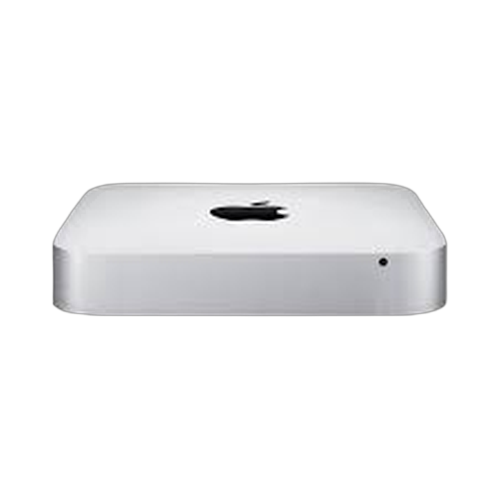
The Mac mini A1347 (Late 2014) moved to Haswell processors and Thunderbolt 2 but made a controversial change: Apple soldered the RAM directly to the logic board for the first time. That means whatever memory configuration you bought is what you are stuck with. The base model shipped with just a 1.4GHz dual-core i5 and 4GB of LPDDR3, which feels very limited today. Common issues include slow performance (especially the 4GB models), hard drive failure, overheating, and port problems. We repair all of these at our Perth Road workshop in Dundee.
Because the RAM cannot be upgraded, the best path forward for a sluggish 2014 Mac mini is an SSD swap. Replacing the stock 5400rpm hard drive with a solid-state drive makes a dramatic difference to boot times and general responsiveness. Fusion Drive models can also benefit from a pure SSD replacement if the spinning disk portion has failed. Our technicians have over 20 years' combined experience and understand the quirks of these soldered-RAM models. If your 2014 Mac mini feels painfully slow or will not start up properly, bring it to us and we will work out the best repair option.
The 2014 Mac mini with soldered RAM was a step backwards for upgradeability, but an SSD swap still transforms it. Drap it in to Perth Road and we'll get it moving again.
The Late 2014 came in three configurations: 1.4GHz i5 (4GB), 2.6GHz i5 (8GB), and 2.8GHz i5 (8GB) with Iris Graphics and Fusion Drive. The soldered RAM means choosing your configuration carefully matters more than any previous Mac mini.
Model Numbers
You can find your Mac Mini model number in Settings:
Device Specifications
Mac mini A1347 (Late 2014) Specs
Not Sure Which Mac Mini You Have?
Dinnae worry - it's easy to check. Here's how to find your model number:
- Option 1: Click the Apple menu > About This Mac to see your model name and year.
- Option 2: Check the model number on the bottom of the Mac mini.
- Option 3: Just bring it in! We'll identify your exact model in seconds - nae bother at all.
Common Mac mini A1347 (Late 2014) Issues We Fix
Here are the issues we see most frequently at our Perth Road workshop:
Our technicians have over 20 years' combined experience. If it can be repaired, we'll fix it. If it cannae, we'll tell you straight - we'd rather give you honest advice than take your money for a repair that won't last.
Not sure what's wrong with your Mac mini A1347 (Late 2014)? Just bring it in and we'll diagnose the issue. Nae appointment needed.
Call UsMac mini A1347 (Late 2014) Repairs
Select the issue you're having with your Mac mini A1347 (Late 2014). All repairs include a 90-day warranty and most are completed same day.
Not sure what's wrong? Select Diagnostic and we'll figure it out.
Same-Day Repairs Available
Select a repair above to book your drop-off time
Choose a RepairMac mini A1347 (Late 2014) Repair Questions
Can I upgrade the RAM in my 2014 Mac mini?
Unfortunately not. Apple soldered the RAM to the logic board on the 2014 model. Whatever RAM it came with is what you are stuck with. An SSD upgrade is the best way to improve performance.
My 2014 Mac mini with 4GB RAM is incredibly slow. What can I do?
The 4GB models really struggle with modern macOS. An SSD swap will help with boot times and app loading. Beyond that, the soldered RAM limits what we can do. We'll be honest about whether repair is worthwhile.
Can you replace the hard drive with an SSD?
Aye, and it is the best upgrade available for the 2014 Mac mini since the RAM cannot be touched. The speed improvement is dramatic even on the 4GB models. Drap it in.
Why did Apple solder the RAM on the 2014 Mac mini?
Apple moved to LPDDR3, which uses less power but requires soldering. It was not a popular decision. If you are buying a used Mac mini and want upgradeable RAM, look at the 2012 model instead.
My 2014 Mac mini will not turn on. Can you fix it?
No power issues on the 2014 model are usually the logic board or power supply. We'll run a diagnostic and give you a clear picture of what is needed. Bring it in to Perth Road.
Is the 2014 Mac mini still supported by Apple?
The 2014 Mac mini can run macOS Big Sur at the latest. It is no longer receiving security updates from Apple. We can still repair it and keep it running well for everyday use.
2014 Mac mini Crawling Along? An SSD Will Transform It.
Walk-ins welcome. Most repairs done same day.