

Mac mini A1347 (Mid 2011) Repair Dundee
2011 Mac mini overheating or fans running constantly? Dried thermal paste and ageing hard drives are the usual problems. Bring it to our Dundee workshop on Perth Road for SSD upgrades, thermal paste replacement, and full diagnostics.
Google Reviews


About the Mac mini A1347 (Mid 2011)
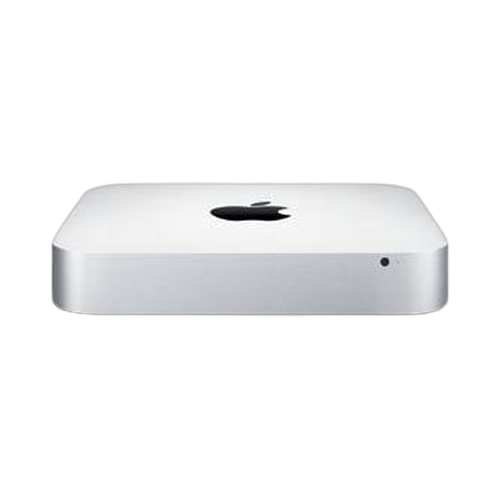
The Mac mini A1347 (Mid 2011) brought proper Intel Core i5 and i7 Sandy Bridge processors to the compact desktop, a huge performance leap over the previous Core 2 Duo. The base model ran an i5 at 2.3GHz with 2GB of RAM, while the mid-range packed an i5 2.5GHz with discrete Radeon HD 6630M graphics. A Server model with a quad-core i7 was also available. These machines commonly develop hard drive failures, overheating problems from dried-out thermal paste, and Bluetooth/Wi-Fi connectivity issues. We repair all of these at our Perth Road workshop in Dundee.
The Mid 2011 is one of the best Mac minis for upgradeability. RAM is easily accessible and upgradeable to 16GB, and the hard drive can be swapped for an SSD in minutes. The Thunderbolt port (first generation) was a welcome addition alongside HDMI. Our technicians have over 20 years' combined experience working on Mac hardware. If your 2011 Mac mini is overheating, running slowly, or the fans are screaming at full speed, we can strip it down, replace the thermal paste, and fit an SSD to give it a proper refresh.
The 2011 Mac mini with an i5 or i7 is still a capable wee machine with the right upgrades. Drap it in and we'll get it sorted. SSD plus fresh thermal paste makes a massive difference.
The Mid 2011 was the first Mac mini with Thunderbolt and the last to include an optical drive in the standard (non-Server) configuration. The dedicated Radeon GPU in the 2.5GHz model makes it noticeably better for display work than the base model with Intel HD 3000 only.
Model Numbers
You can find your Mac Mini model number in Settings:
Device Specifications
Mac mini A1347 (Mid 2011) Specs
Not Sure Which Mac Mini You Have?
Dinnae worry - it's easy to check. Here's how to find your model number:
- Option 1: Click the Apple menu > About This Mac to see your model name and year.
- Option 2: Check the model number on the bottom of the Mac mini.
- Option 3: Just bring it in! We'll identify your exact model in seconds - nae bother at all.
Common Mac mini A1347 (Mid 2011) Issues We Fix
Here are the issues we see most frequently at our Perth Road workshop:
Our technicians have over 20 years' combined experience. If it can be repaired, we'll fix it. If it cannae, we'll tell you straight - we'd rather give you honest advice than take your money for a repair that won't last.
Not sure what's wrong with your Mac mini A1347 (Mid 2011)? Just bring it in and we'll diagnose the issue. Nae appointment needed.
Call UsMac mini A1347 (Mid 2011) Repairs
Select the issue you're having with your Mac mini A1347 (Mid 2011). All repairs include a 90-day warranty and most are completed same day.
Not sure what's wrong? Select Diagnostic and we'll figure it out.
Same-Day Repairs Available
Select a repair above to book your drop-off time
Choose a RepairMac mini A1347 (Mid 2011) Repair Questions
Can I upgrade the RAM in my 2011 Mac mini to 16GB?
Aye, the Mid 2011 Mac mini supports up to 16GB of DDR3 1333MHz. The RAM is easily accessible through the bottom panel. It is one of the best upgrades you can do.
My 2011 Mac mini overheats and the fans run constantly. Can you fix it?
That is almost always dried-out thermal paste after this many years. We'll strip it down, clean everything, and apply fresh thermal compound. Should quiet it right down.
Is the Radeon GPU model better than the Intel HD 3000 model?
The 2.5GHz model with the Radeon HD 6630M is noticeably better for display work and light gaming. If you use an external monitor, the dedicated GPU makes a difference. Both are repairable.
Can you replace the hard drive with an SSD?
Aye, and it is the single best upgrade for any 2011 Mac mini. The speed improvement is enormous. We'll clone your existing drive so you dinnae lose any data.
My Mac mini will not connect to Wi-Fi reliably. What is wrong?
The AirPort card or its antenna connections may have come loose or failed. We can diagnose and replace the faulty component. Drap it in to Perth Road.
Can you install a newer version of macOS on my 2011 Mac mini?
The 2011 Mac mini officially supports up to macOS High Sierra. We can install that or help you with patched installers for newer versions if you need specific features. Gee'z a ring and we'll discuss your options.
2011 Mac mini Running Hot? We'll Cool It Down.
Walk-ins welcome. Most repairs done same day.