

Mac mini A2816 (2023) Repair Dundee
M2 Pro Mac mini throttling under workloads or a port has failed? The pro-level A2816 needs specialist board-level repair when hardware goes wrong. Our Dundee workshop on Perth Road handles all Mac mini repairs.
Google Reviews


About the Mac mini A2816 (2023)
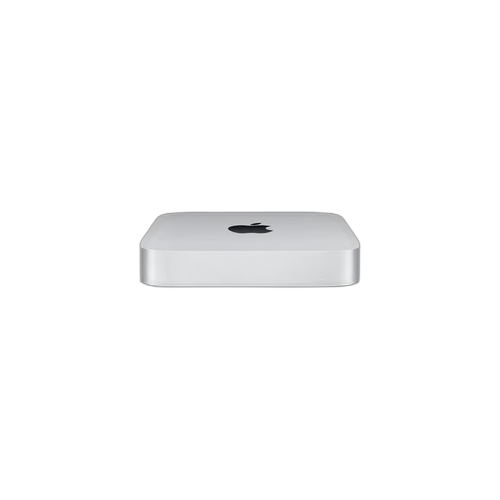
The Mac mini A2816 (2023) with M2 Pro brought professional-grade performance to the compact desktop form factor. Available with a 10-core or 12-core CPU and up to 19-core GPU, paired with 16GB or 32GB of unified memory and SSD storage up to 8TB, this machine punches well above its size. It also added a 10 Gigabit Ethernet port, SDXC card slot, and four Thunderbolt 4 ports. Common issues include thermal throttling under sustained professional workloads, port failures, no power situations, and Bluetooth drops. We handle all of these at our Perth Road workshop.
The M2 Pro Mac mini is aimed at professionals who need serious computing power in a small footprint. Everything is soldered to the logic board, so hardware failures require board-level repair. The higher thermal output of the Pro chip compared to the standard M2 means thermal management is more critical, and fan failures or blocked vents can cause performance problems. Our technicians have over 20 years' combined experience and understand the demands of pro-level Apple hardware. If your M2 Pro Mac mini is throttling, crashing under load, or will not power on, bring it to our Dundee workshop for a thorough diagnostic.
The M2 Pro Mac mini is a proper beast in a tiny box. Board-level repair is the only option when hardware fails. We've got the experience. Drap it in to Perth Road.
The A2816 (M2 Pro) is distinguished from the A2686 (M2) by its four Thunderbolt 4 ports, SDXC card slot, and 10Gb Ethernet. It was the most powerful Mac mini ever made until the M4 models arrived in late 2024.
Model Numbers
You can find your Mac Mini model number in Settings:
Device Specifications
Mac mini A2816 (2023) Specs
Not Sure Which Mac Mini You Have?
Dinnae worry - it's easy to check. Here's how to find your model number:
- Option 1: Click the Apple menu > About This Mac to see your model name and year.
- Option 2: Check the model number on the bottom of the Mac mini.
- Option 3: Just bring it in! We'll identify your exact model in seconds - nae bother at all.
Common Mac mini A2816 (2023) Issues We Fix
Here are the issues we see most frequently at our Perth Road workshop:
Our technicians have over 20 years' combined experience. If it can be repaired, we'll fix it. If it cannae, we'll tell you straight - we'd rather give you honest advice than take your money for a repair that won't last.
Not sure what's wrong with your Mac mini A2816 (2023)? Just bring it in and we'll diagnose the issue. Nae appointment needed.
Call UsMac mini A2816 (2023) Repairs
Select the issue you're having with your Mac mini A2816 (2023). All repairs include a 90-day warranty and most are completed same day.
Not sure what's wrong? Select Diagnostic and we'll figure it out.
Same-Day Repairs Available
Select a repair above to book your drop-off time
Choose a RepairMac mini A2816 (2023) Repair Questions
My M2 Pro Mac mini is throttling under heavy workloads. Can you help?
The M2 Pro generates more heat than the standard M2 under sustained load. Thermal paste replacement and checking the fan assembly can help. Drap it in and we'll investigate.
Can you fix a damaged Thunderbolt 4 port on my M2 Pro Mac mini?
Aye, port repairs are something we handle regularly. The M2 Pro has four Thunderbolt 4 ports. We'll diagnose the issue and give you a clear repair plan.
My M2 Pro Mac mini will not turn on. What should I do?
Bring it in to our Perth Road workshop. No power situations need proper diagnostic to determine if it is the power supply, logic board, or another component. We'll get to the bottom of it.
Is data recovery possible from a dead M2 Pro Mac mini?
The SSD is soldered and encrypted on the M2 Pro. If the logic board can be repaired, we can access your data. We'll be honest about the chances when we assess it.
What makes the M2 Pro Mac mini different from the standard M2?
More CPU and GPU cores, more Thunderbolt 4 ports (four vs two), SDXC card slot, 10Gb Ethernet, and support for up to 32GB unified memory. It is the professional-grade option.
How long does an M2 Pro Mac mini repair take?
Board-level repairs typically take 3 to 5 working days. Port repairs and software fixes are usually quicker. We'll give you a clear timeline after diagnosis. Gee'z a ring to book it in.
M2 Pro Mac mini in Trouble? We Handle the Hard Stuff.
Walk-ins welcome. Most repairs done same day.