

MacBook Pro 17″ A1261 (Early 2008) Repair Dundee
MacBook Pro 17" A1261 hard drive failing or battery swollen? An SSD and RAM upgrade can transform these older machines. Our Perth Road workshop in Dundee handles all MacBook repairs with over 20 years' combined experience.
Google Reviews


About the MacBook Pro 17″ A1261 (Early 2008)
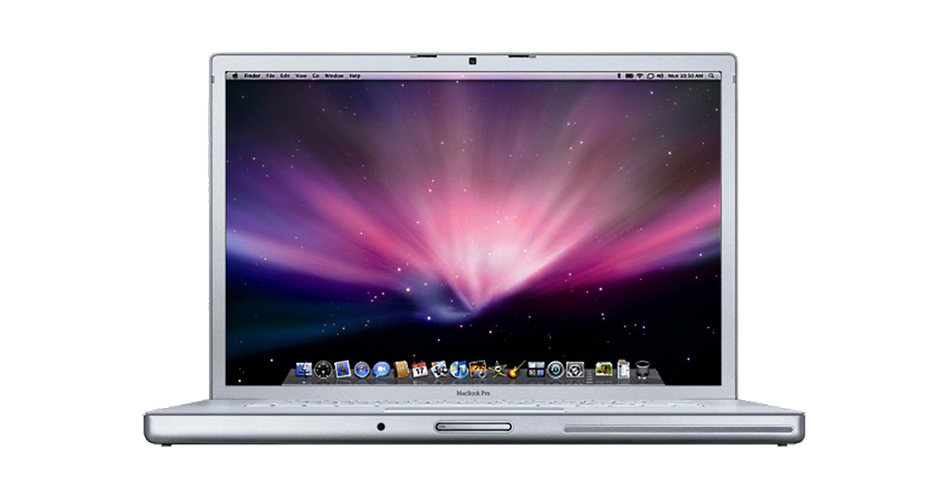
The MacBook Pro 17" A1261 (Early 2008) was one of the last pre-unibody MacBook Pros, featuring a 17-inch 1920x1200 display, Core 2 Duo processor, and model number A1261. It used DDR2 memory, a SATA hard drive, and an NVIDIA GeForce 8600M GT dedicated GPU. We repair every component at our Perth Road workshop in Dundee.
The 8600M GT GPU is notorious for failure on these models due to lead-free solder defects. Beyond GPU problems, hard drive failure, swelling batteries, and broken hinges are all common. RAM is upgradeable and an SSD swap helps significantly. Our technicians have over 20 years' combined experience.
The 2008 MacBook Pro is getting on in years but still fixable. GPU failure is the big one on these. Drap it in to Perth Road and we'll give you an honest assessment.
The A1261 came in multiple processor speed configurations. All share the same internal hardware and accept identical replacement parts.
Model Numbers
You can find your MacBook Pro model number in Settings:
Device Specifications
MacBook Pro 17″ A1261 (Early 2008) Specs
Not Sure Which MacBook Pro You Have?
Dinnae worry - it's easy to check. Here's how to find your model number:
- Option 1: Click the Apple menu > About This Mac to see your model name and year.
- Option 2: Check the model number printed on the underside of your MacBook (e.g. A1234).
- Option 3: Just bring it in! We'll identify your exact model in seconds - nae bother at all.
Common MacBook Pro 17″ A1261 (Early 2008) Issues We Fix
Here are the issues we see most frequently at our Perth Road workshop:
Our technicians have over 20 years' combined experience. If it can be repaired, we'll fix it. If it cannae, we'll tell you straight - we'd rather give you honest advice than take your money for a repair that won't last.
Not sure what's wrong with your MacBook Pro 17″ A1261 (Early 2008)? Just bring it in and we'll diagnose the issue. Nae appointment needed.
Call UsMacBook Pro 17″ A1261 (Early 2008) Repairs
Select the issue you're having with your MacBook Pro 17″ A1261 (Early 2008). All repairs include a 90-day warranty and most are completed same day.
Not sure what's wrong? Select Diagnostic and we'll figure it out.
Same-Day Repairs Available
Select a repair above to book your drop-off time
Choose a RepairMacBook Pro 17″ A1261 (Early 2008) Repair Questions
Can you upgrade the RAM in my MacBook Pro 17" A1261 (Early 2008)?
Aye, the RAM is user-upgradeable on this model. We can source and fit the maximum supported memory for you.
My MacBook Pro A1261 has graphical artifacts. Can you fix it?
GPU failure is a known issue on some of these older MacBook Pros. We can diagnose whether it is the GPU, display cable, or screen. Bring it in.
Can you replace the hard drive with an SSD?
Absolutely. An SSD swap is the best single upgrade. Boot times and app loading will be dramatically faster. Drap it in.
My MacBook Pro 17" A1261 (Early 2008) battery is swollen. Can you replace it?
Swollen batteries should be replaced straight away. We stock compatible batteries and can swap it quickly. Do not delay on this one.
My MacBook Pro's optical drive is broken. Can you fix it?
We can replace the SuperDrive or fit a second hard drive/SSD in the optical bay instead. Many folk prefer the extra storage.
How long does a MacBook Pro repair take in Dundee?
Most repairs take 1 to 3 working days. SSD and RAM upgrades are usually same day. We'll give you a timeline when you drap it in.
2008 MacBook Pro Needing Repair? We've Got the Expertise.
Walk-ins welcome. Most repairs done same day.