

MacBook 13″ A1342 (Mid 2010) Repair Dundee
MacBook 13" A1342 hard drive failing or battery swollen? An SSD and RAM upgrade can transform these older machines. Our Perth Road workshop in Dundee handles all MacBook repairs with over 20 years' combined experience.
Google Reviews


About the MacBook 13″ A1342 (Mid 2010)
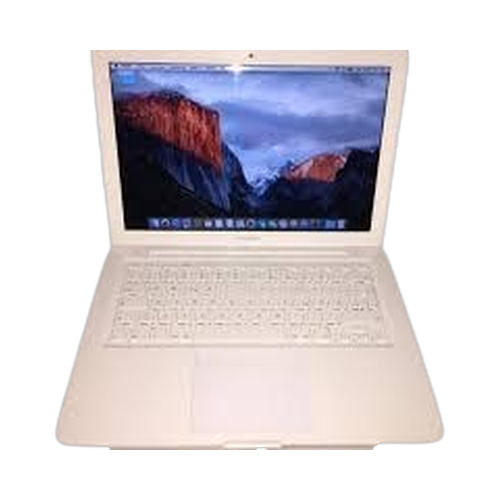
The MacBook 13" A1342 (Mid 2010) was Apple's polycarbonate unibody MacBook, powered by a Core 2 Duo with DDR3 memory and model number A1342. The 13" display ran at 1280x800 with LED backlighting. This was the last non-Pro, non-Air consumer MacBook until the 12-inch Retina arrived in 2015. We repair every component at our Perth Road workshop in Dundee.
Hard drive failure is the most common issue on these machines, followed by swelling batteries and cracked bottom cases. The RAM is upgradeable to 8GB DDR3, and an SSD upgrade transforms the experience completely. Our technicians have over 20 years' combined experience and have worked on hundreds of A1342 units.
The white unibody MacBook was a brilliant wee machine. SSD and RAM upgrade and it's good to go again. Drap it in to Perth Road, we'll sort it oot.
The A1342 was produced in Late 2009 and Mid 2010 versions. Both are essentially identical in design, with the Mid 2010 receiving a slightly faster processor and updated graphics. All share the same internal hardware and accept identical replacement parts.
Model Numbers
You can find your MacBook model number in Settings:
Device Specifications
MacBook 13″ A1342 (Mid 2010) Specs
Not Sure Which MacBook You Have?
Dinnae worry - it's easy to check. Here's how to find your model number:
- Option 1: Click the Apple menu > About This Mac to see your model name and year.
- Option 2: Check the model number printed on the underside of your MacBook (e.g. A1234).
- Option 3: Just bring it in! We'll identify your exact model in seconds - nae bother at all.
Common MacBook 13″ A1342 (Mid 2010) Issues We Fix
Here are the issues we see most frequently at our Perth Road workshop:
Our technicians have over 20 years' combined experience. If it can be repaired, we'll fix it. If it cannae, we'll tell you straight - we'd rather give you honest advice than take your money for a repair that won't last.
Not sure what's wrong with your MacBook 13″ A1342 (Mid 2010)? Just bring it in and we'll diagnose the issue. Nae appointment needed.
Call UsMacBook 13″ A1342 (Mid 2010) Repairs
Select the issue you're having with your MacBook 13″ A1342 (Mid 2010). All repairs include a 90-day warranty and most are completed same day.
Not sure what's wrong? Select Diagnostic and we'll figure it out.
Same-Day Repairs Available
Select a repair above to book your drop-off time
Choose a RepairMacBook 13″ A1342 (Mid 2010) Repair Questions
Can you upgrade the RAM in my MacBook 13" A1342 (Mid 2010)?
Aye, the A1342 supports up to 8GB of DDR3 RAM. The upgrade is straightforward and we can have it fitted quickly.
My white MacBook's bottom case is cracked. Can you replace it?
Aye, cracked bottom cases are common on the polycarbonate unibody. We can source and fit a replacement. Drap it in to Perth Road.
Can you fit an SSD in my A1342 MacBook?
Absolutely. The SATA hard drive slot takes a standard 2.5-inch SSD. The speed improvement is dramatic. We'll have it fitted in no time.
My MacBook 13" A1342 (Mid 2010) battery is swollen. Is that dangerous?
A swollen battery should be replaced as soon as possible. Do not keep using it in that state. Bring it in and we'll swap it out safely.
Can you install macOS on my old MacBook?
The A1342 officially supports up to macOS High Sierra. We can install that or help with patched options if you need newer features. Gee'z a ring and we'll discuss.
How long does a MacBook repair take in Dundee?
Most repairs take 1 to 3 working days. SSD and RAM upgrades are usually same day. We'll give you a clear timeline when you drap it in.
2010 MacBook Needing Repair? We've Got the Expertise.
Walk-ins welcome. Most repairs done same day.