

MacBook Retina 12″ A1534 (2017) Repair Dundee
MacBook Retina 12" A1534 Touch Bar gone dark or battery swollen? Butterfly keyboard failure, flexgate, and battery issues are all repairable. Bring it to our Perth Road workshop in Dundee for expert diagnosis.
Google Reviews


About the MacBook Retina 12″ A1534 (2017)
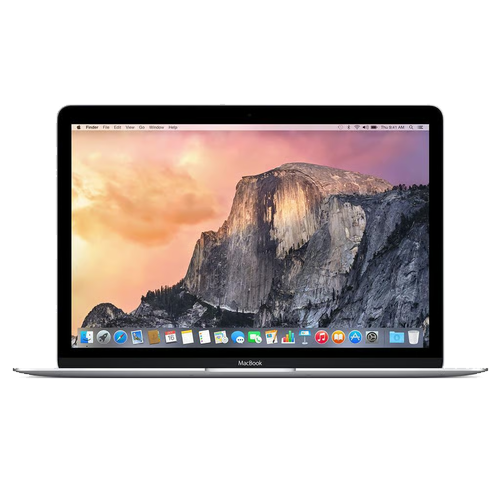
The MacBook Retina 12" A1534 (2017) was Apple's ultraportable 12-inch Retina MacBook with model number A1534. It packed a fanless design, a single USB-C port for everything, and a gorgeous 2304x1440 Retina display into the thinnest and lightest Mac laptop ever made at the time. We repair every component at our Perth Road workshop in Dundee.
The butterfly keyboard is the single biggest repair issue on these machines. Keys stop responding, feel mushy, or double-type constantly. Battery swelling, charging port failure (the only port on the machine), and display issues are also common. Our technicians have over 20 years' combined experience and understand the unique construction of these fanless MacBooks.
The wee 12-inch MacBook is a bonnie machine but that butterfly keyboard is trouble. Drap it in to Perth Road and we'll get the keys working properly again.
The A1534 was produced from 2015 to 2017 in Gold, Silver, Space Gray, and Rose Gold finishes. All three generations share the same chassis and accept identical replacement parts.
Model Numbers
You can find your MacBook model number in Settings:
Device Specifications
MacBook Retina 12″ A1534 (2017) Specs
Not Sure Which MacBook You Have?
Dinnae worry - it's easy to check. Here's how to find your model number:
- Option 1: Click the Apple menu > About This Mac to see your model name and year.
- Option 2: Check the model number printed on the underside of your MacBook (e.g. A1234).
- Option 3: Just bring it in! We'll identify your exact model in seconds - nae bother at all.
Common MacBook Retina 12″ A1534 (2017) Issues We Fix
Here are the issues we see most frequently at our Perth Road workshop:
Our technicians have over 20 years' combined experience. If it can be repaired, we'll fix it. If it cannae, we'll tell you straight - we'd rather give you honest advice than take your money for a repair that won't last.
Not sure what's wrong with your MacBook Retina 12″ A1534 (2017)? Just bring it in and we'll diagnose the issue. Nae appointment needed.
Call UsMacBook Retina 12″ A1534 (2017) Repairs
Select the issue you're having with your MacBook Retina 12″ A1534 (2017). All repairs include a 90-day warranty and most are completed same day.
Not sure what's wrong? Select Diagnostic and we'll figure it out.
Same-Day Repairs Available
Select a repair above to book your drop-off time
Choose a RepairMacBook Retina 12″ A1534 (2017) Repair Questions
Can you fix the keyboard on my MacBook Retina 12" A1534 (2017)?
Keyboard issues are less common on the scissor keyboard models but still happen. We can repair or replace the keyboard assembly. Drap it in.
My MacBook Pro A1534 Touch Bar stopped working. Can you fix it?
Aye, Touch Bar failure is a known issue. It can be the display ribbon or the logic board. We'll diagnose and repair it.
My MacBook Pro screen has a dark area at the bottom. What is wrong?
That is usually the display backlight cable (flexgate) wearing out. We can replace the cable or display assembly. Bring it in.
My MacBook Pro screen has lines on it. Can you fix it?
Display issues can be the panel, the GPU, or the display cable. We'll run a diagnostic to pinpoint the cause and give you a repair plan.
My MacBook Retina 12" A1534 (2017) battery is swelling. Can you replace it?
Battery swelling needs attention straight away. We can replace the battery safely. Drap it in to Perth Road as soon as you can.
How long does a MacBook Pro repair take?
Most repairs take 1 to 3 working days. Keyboard replacements take 2 to 4 days depending on parts. We'll give you a clear timeline.
2017 MacBook Needing Repair? We've Got the Expertise.
Walk-ins welcome. Most repairs done same day.