

MSI Bravo Series Repair Dundee
MSI Bravo running hot under light gaming or the screen tearing during play? The AMD GPUs in Bravo models need proper thermal maintenance to perform well. Bring it to Perth Road in Dundee.
Google Reviews


About the MSI Bravo Series
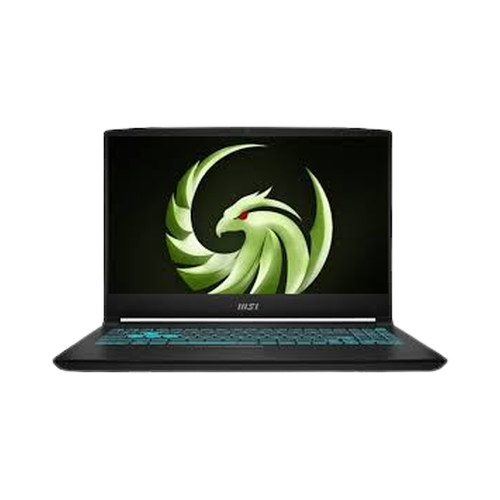
The MSI Bravo Series covers MSI's gaming laptop range, including the Bravo 17 D7VFK, Bravo 15 D7VFK, Bravo 15 B5DD, Bravo 17 C7VF, Bravo 15 A4DDR. These machines pack high-performance GPUs and CPUs for gaming and creative work, but the extra power means extra heat and extra wear on components. We repair every MSI Bravo model at our Perth Road workshop in Dundee.
Common MSI Bravo Series repairs include overheating from the high-performance GPU and CPU, screen damage, keyboard failures (especially backlit keys), hinge wear from the heavy lid, battery degradation from gaming sessions, charging port damage from the high-wattage adapter, and fan noise or failure. Our technicians have over 20 years' combined experience and regularly work on high-performance gaming hardware.
Gaming laptops run hot and hard. If yers is overheating, crashing, or the screen has gone, drap it in to Perth Road. We ken gaming hardware.
We repair all MSI Bravo models including the Bravo 17 D7VFK, Bravo 15 D7VFK, Bravo 15 B5DD, Bravo 17 C7VF, Bravo 15 A4DDR. Not sure which model you have? Check the sticker on the bottom of the laptop or look in System Information.
Model Numbers
You can find your MSI model number in Settings:
Device Specifications
MSI Bravo Series Specs
Not Sure Which MSI You Have?
Dinnae worry - it's easy to check. Here's how to find your model number:
- Option 1: Check the back or underside of your device for a model number.
- Option 2: Check the original box if you still have it.
- Option 3: Just bring it in! We'll identify your exact model in seconds - nae bother at all.
Common MSI Bravo Series Issues We Fix
Here are the issues we see most frequently at our Perth Road workshop:
Our technicians have over 20 years' combined experience. If it can be repaired, we'll fix it. If it cannae, we'll tell you straight - we'd rather give you honest advice than take your money for a repair that won't last.
Not sure what's wrong with your MSI Bravo Series? Just bring it in and we'll diagnose the issue. Nae appointment needed.
Call UsMSI Bravo Series Repairs
Select the issue you're having with your MSI Bravo Series. All repairs include a 90-day warranty and most are completed same day.
Not sure what's wrong? Select Diagnostic and we'll figure it out.
Same-Day Repairs Available
Select a repair above to book your drop-off time
Choose a RepairMSI Bravo Series Repair Questions
Do you repair all MSI Bravo models?
Aye, we repair every model including the Bravo 17 D7VFK, Bravo 15 D7VFK, Bravo 15 B5DD, Bravo 17 C7VF, Bravo 15 A4DDR. Drap it in to Perth Road.
My gaming laptop is overheating and throttling. Can you fix it?
Aye, overheating is common on gaming laptops. We can repaste the CPU and GPU, clean the cooling system, and replace fans if needed. A proper thermal refresh can bring temperatures down significantly.
Can you replace the screen on my gaming laptop?
Aye, we can. Gaming laptop displays vary from FHD to QHD+ panels with high refresh rates, so the cost depends on your specific model. Bring it in for a quote.
Can you upgrade the RAM or SSD in my MSI Bravo?
Most gaming laptops have at least one spare M.2 SSD slot and upgradeable RAM. Bring it in and we will check what upgrade options are available for your model.
My gaming laptop keyboard has stopped working. Can you fix it?
Aye, keyboard failures are common, especially on gaming laptops where keys get heavy use. We can replace individual keys or the full keyboard assembly.
How long does a gaming laptop repair take?
It depends on the repair. A thermal repaste can be done same day. Screen replacements depend on parts availability. We will give you a realistic timeframe.
Bravo Running Hot? Drap It In Tae Perth Road.
Walk-ins welcome. Most repairs done same day.